Agile release planning: what you get wrong about it and how to get it “right”

Let’s get it straight: agile release planning doesn’t exist. It is not defined by a methodology (Scrum, Kanban, SAFe), because it is a process each company shapes for itself, based on what you're building, how your team is organized, and what "ready to ship" even means for your product. For example, a team cutting a mobile release every two weeks and a team shipping firmware to physical devices are both doing release planning — they're just answering the same handful of questions very differently.
Nevertheless, it makes sense to walk through what actually stays constant across every release planning process (there's more than you'd think), where Agile and non-Agile approaches genuinely diverge, how your technical environment — pipeline, architecture, whether hardware's involved — reshapes the process as much as methodology does, and what a real release planning checklist looks like once you get specific. We'll also look at what happens to that checklist the moment a single variable changes, and the handful of mistakes that trip up release planning even in teams that are otherwise doing everything right.
TL;DR
- Release planning is deciding what you're shipping, to whom, when, how, and under what conditions — that definition holds regardless of methodology.
- Four steps apply to any release, Agile or not: setting the date, locking the scope, defining what "ready" means, and deciding how it ships.
- Agile and non-Agile release planning differ mainly in what's fixed and what flexes — cadence vs. scope — which changes what you're even planning: one release, or a recurring decision you make every cycle.
- Your technical environment — the pipeline, whether you're a monolith or microservices, whether hardware's involved — shapes release planning just as much as your methodology does.
- The same release planning steps look different depending on team dependencies, architecture, and delivery model — a single-team Scrum checklist changes significantly once other teams or continuous deployment enter the picture.
What is a release process in Agile?
A release process is a set of steps a software team follows to prepare, approve, and deliver a new version of software to its users. The exact steps differ from team to team and from methodology to methodology, but the goal stays the same: to get a finished, tested version into users' hands.
Release planning is the part of this process focused on deciding what will be released, when, how, and under what conditions.
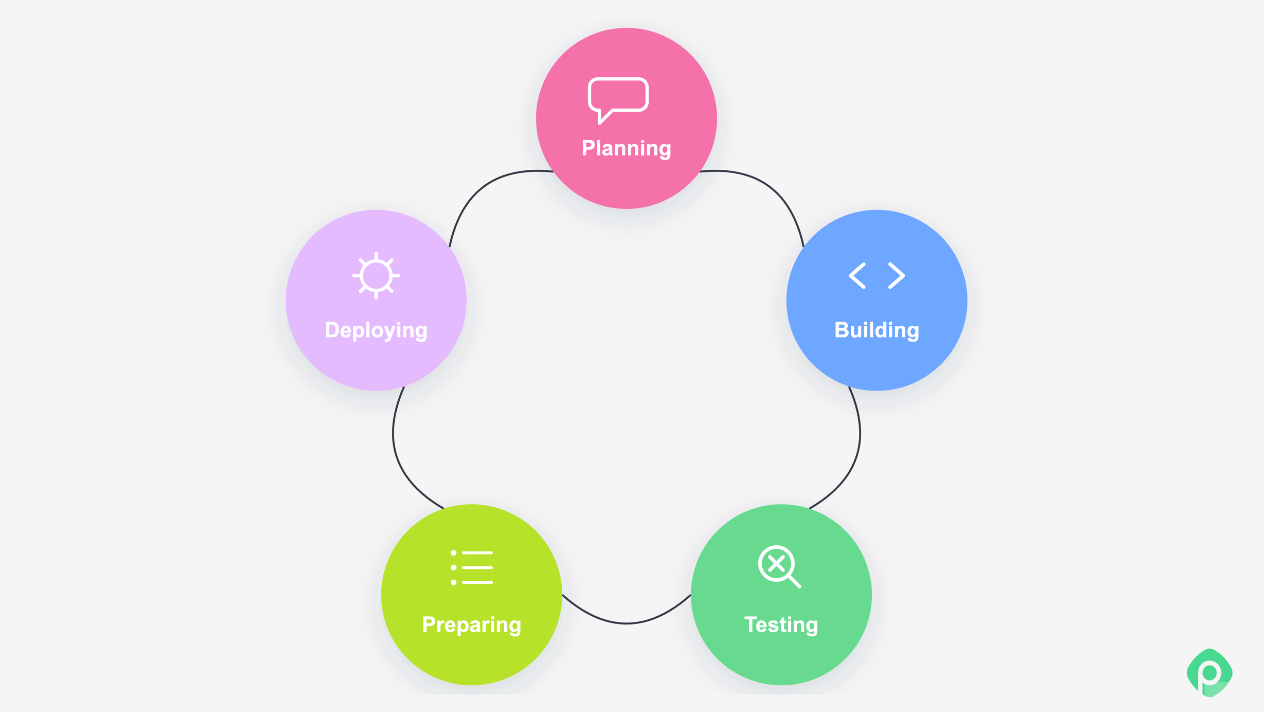
Since a release is the culmination of the software development process, careful planning can play an important role in overall project success. That's what makes agile release planning important: when the release process is clearly defined, understood by the team, and adapted to its current needs, everyone is on the same page about what has to happen before the software reaches users.
Agile or not, release planning comes down to the same thing:
- which new features to release (and which not);
- who should get the software;
- when they should get it;
- how it will be distributed;
- under what conditions the release can go ahead (e.g., if certain criteria are met).
Four key steps of the release planning process (methodology-agnostic)
A product release always happens at the end of the feature/task/project development. However, release planning itself can be (and, in many cases, should be) done beforehand, sometimes even before the first line of code finds its way into an IDE.
But if we strip away the process jargon and get down to brass tacks, release planning boils down to the following steps.
Step 1: Figuring out the date of the release
The first step is to establish the release schedule, as whether you’re working toward a strict deadline — and how soon it is — will directly affect the next step.
Step 2: Deciding what makes it to the release and what doesn't
Release scope is defined primarily by the compromise between the business needs and the technical limitations (to be fair, business usually has the upper hand). While factoring in the trade-offs, it's also important to consider potential dependencies, as they may influence the release method, sequence, and require additional coordination.
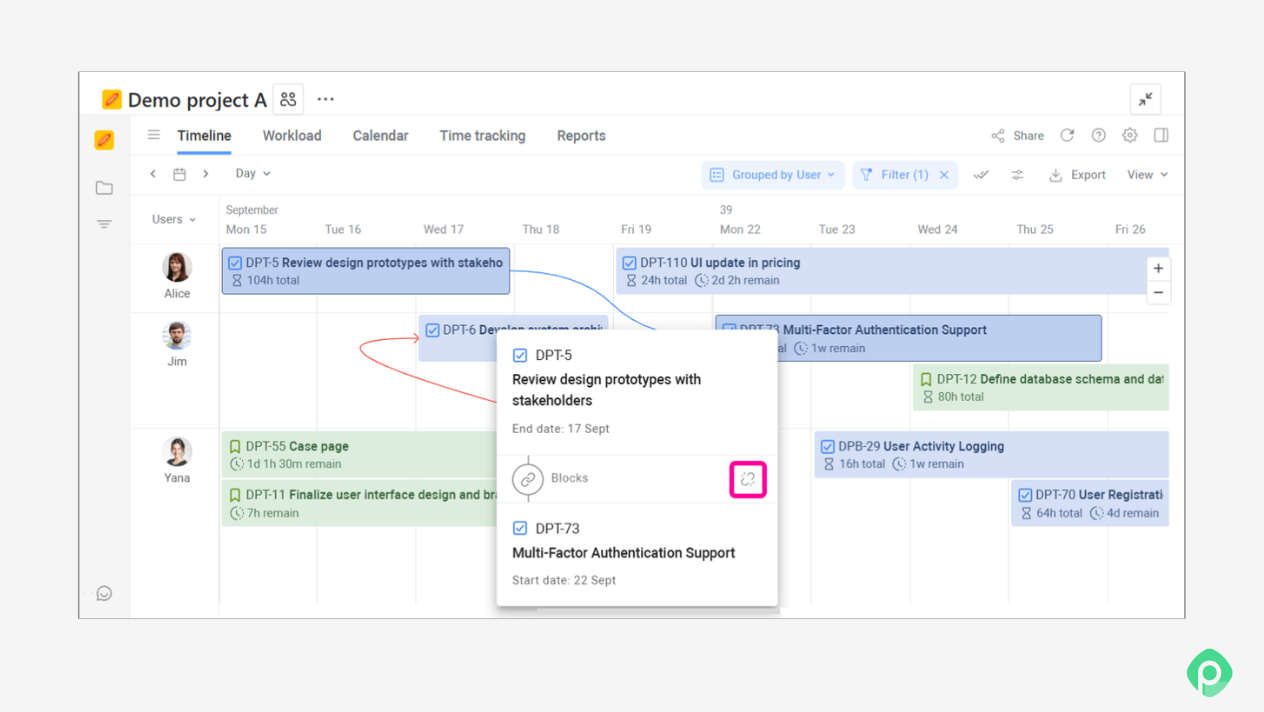
Step 3: Defining what “ready” looks like
Next, define the criteria that tell you the release is actually ready to go. These criteria should make it clear that what’s being shipped meets the agreed requirements and delivers what was originally requested.
Step 4: Deciding on the way it’s going to be shipped
The way a release is shipped is often overlooked, but it can have a major impact on the process. Much depends on what you’re releasing and which testing and quality standards apply to it.
A dashboard UI update and an update to the core system controlling the state of a battery that powers a house are two very different releases. They may technically belong to the same product or project, but they involve different systems, environments, risks, and requirements.
As a result, the release procedures, their sequence, and the quality gates you need to pass can look very different. One release might be a straightforward deployment, while another may require additional testing, approvals, staged rollout, or other safeguards before it can reach users.
Agile vs non-Agile release planning
In our humble opinion (which may, of course, differ from yours), the release management process in general and release planning in particular should not be driven by methodology. The primary factors influencing release planning (as well as the methodology picked to deliver the project) should be primarily business needs and technology limitations.
So why are we still talking about Agile in release planning?
Well, there are some aspects described in a few of the methodologies that make the release planning procedure distinct from others, or the way an Agile methodology is “built” can have implications on your release planning approach.
The clearest place this shows up is the relationship between scope and cadence:
- Non-agile, plan-driven release planning tends to lock in the project scope early and work backward from it, with the release date determined by when all committed work is expected to be completed.
- Agile release planning inverts that by making cadence the fixed point — say, a two-week sprint or a monthly release cycle — and letting the scope flex to fit within it. And that makes a huge difference, because this "tweak" changes what release planning is even a part of.
In the first case, teams are planning one release. In the second, Agile teams are planning a recurring decision you'll make for future releases, with better information each time.
There are a number of other traits that may distinguish a typically Agile release from a typically non-Agile one. We've summed up the main ones below:
| Aspect | Agile | Non-Agile |
| Scope vs. cadence | Cadence fixed, scope flexes to fit it, which often drives the release to happen once per cadence or even more often. | Scope fixed, date falls out of finishing it, release is very often pushed to the end of development. |
| When planning happens | Rolling — the release is planned at the beginning of each iteration, then revisited and adjusted as new information, progress, or changes in scope emerge. | Mostly upfront — the release plan is treated as a commitment, with release-specific procedures and activities planned as a separate body of work toward the end of development. |
| Release size & frequency | Small, frequent, incremental releases | Large, infrequent, often "big-bang" releases |
| Multi-team coordination | Synchronized cadence across teams (SAFe's Agile Release Trains, PI planning) rather than a single master schedule | A central release manager coordinates dependencies across teams via one shared plan |
| Feedback loop | After each increment, feeds the next plan | After full delivery, feeds the next project |
| Governance/approval | Decentralized — team or product owner decides on the contents of next release | Centralized — change advisory board/release manager sign-off |
| CI/CD & automation | Release readiness enforced by automated pipelines and quality gates; shipping is a byproduct of the pipeline, not a separate event | Release is a distinct, often manual, staged event — build, QA pass, then deploy |
As you see, both approaches have their pros and cons, but what is more important, Agile release planning has its own traits which distinguish it from other approaches.
A note on Kanban: although the theorists behind the method don’t consider it part of Agile, but rather a toolbox that can be used in any environment, in practice, it often makes the process more flexible and creates stronger feedback loops through regular cadences. For that reason, this article treats the Kanban approach as part of the broader family of Agile approaches.
How software architecture and development environment(s) impact the release planning process
There are many ways a piece of code can make its way to an end user, and the exact journey depends on a huge number of factors that we don’t need to get into here. What matters for now is understanding the typical flow without getting bogged down in how a particular company releases a particular product.
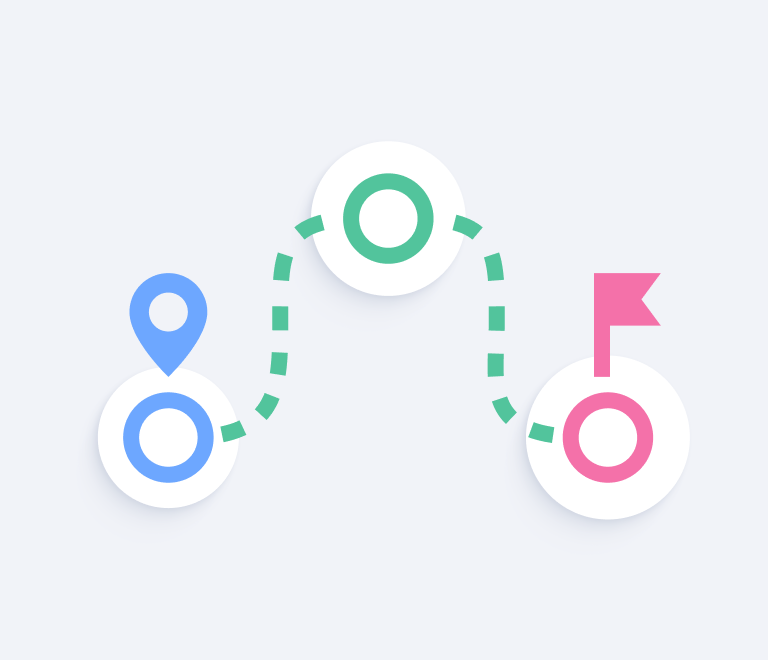
A useful concept here is the release pipeline: the sequence of environments and checks through which code moves from a developer’s machine to the environment where the software actually runs. A typical pipeline might look something like this:
- Local - where the developer writes, builds, and runs the code on their own machine.
- Dev - where the code is deployed to a shared development environment so the team can check how it works with the rest of the application.
- QA - where the code is deployed for more thorough testing, including automated tests, QA checks, and other verification.
- Pre-production - where the entire application, including the freshly tested code, is usually reviewed by the Product Managers or by a selected group of end users;
- Production - where the release reaches the live environment and becomes available to its intended users.
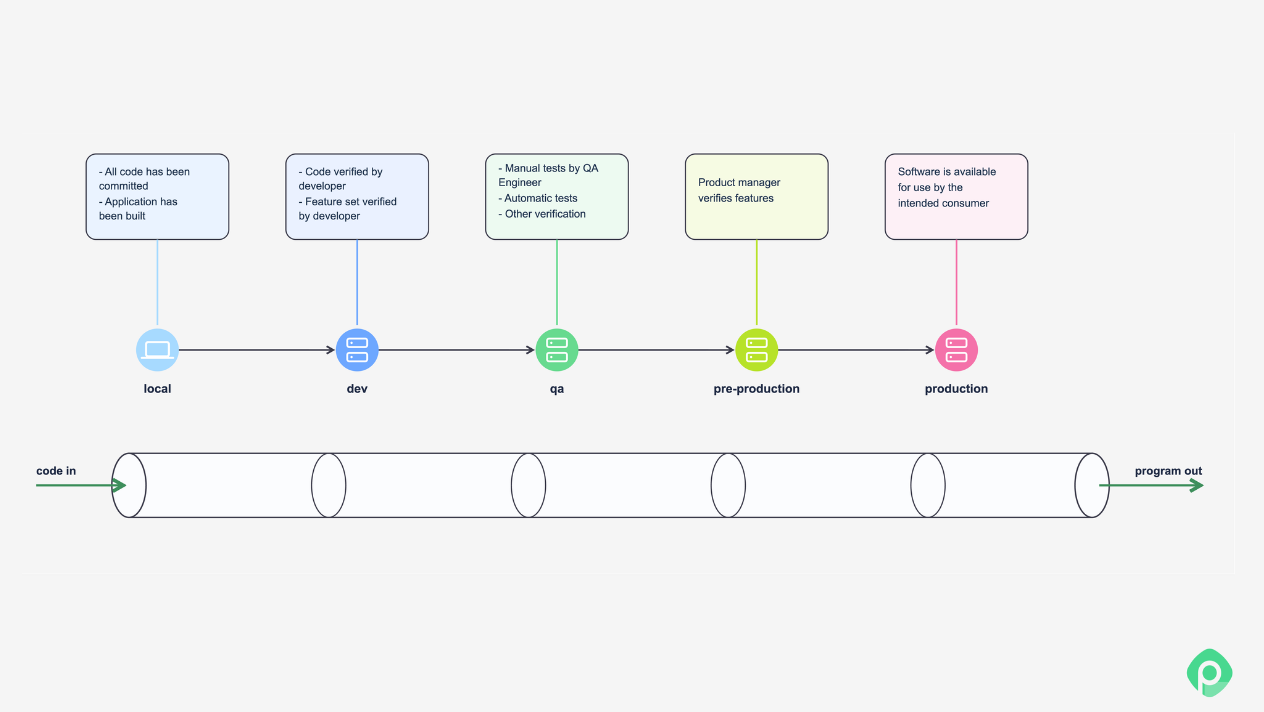
Of course, a team can have more steps, or fewer, but essentially any pipeline will be somewhat similar to the picture above, adjusted for product specificities.
Between environments sit quality gates — checkpoints a release has to pass before it can move to the next stage. A gate might be automated, such as passing a test suite, meeting a code-coverage threshold, or clearing a security scan, or manual, such as a QA sign-off or compliance approval.
There are two more important considerations when planning a release:
- Application architecture. Is the product a monolith that is deployed as one large application, or is it made up of microservices that can be deployed independently? Are there environments with special deployment requirements? These architectural choices can significantly shape the release process.
- What the release actually touches. Pure software can be patched five minutes after a faulty release, since rolling back is often just another deploy. However, the moment hardware is involved, such as firmware on a device, an embedded controller, or anything physically shipped to a customer, that safety net gets much thinner.
And now, having this all in mind, let’s see what shapes and forms a release planning exercise can take for different teams and in different circumstances.
Basic steps of Agile release planning for a single team
To see how these considerations play out in practice, let's bring back Sam — a product manager we first met in our resource management piece.
Sam runs a small team building a mobile app for electrical engineers. The app lets users point a phone camera at a circuit board and get back a readable schematic. Sam's team is a fairly typical setup: a designer, three Android engineers, three iOS engineers, two backend developers, and two QA engineers, working in Scrum with two-week sprints — plus a couple of company-wide policies layered on top, like, for example, a mandatory security review before anything reaches production.
In practice: Sam's team's release procedure
Developers work off feature branches, merged into "develop" via pull request throughout the sprint. Two days before the sprint ends, a release branch is cut from "develop". Every push to it triggers the CI pipeline — full test suite, build, and a security scan.
Once the build is green, QA runs a regression pass against the whole app (not just the sprint's new work) in the qa environment. If it passes, a matching version is created in Jira, linked to every story going out in this release — which also triggers an AI-generated set of release notes, drafted from that version's tickets and their descriptions. Sam and the product owner review and adjust the draft, then a corresponding GitHub Release is tagged.
The build, along with the approved release notes, is submitted to the App Store and Play Store for review. Once both are approved, the release goes live, and every Jira story tied to that version is moved to Done. For the next 48 hours, the team keeps an eye on Firebase Crashlytics and performance metrics, ready to hotfix or halt the next release if something's wrong.
That's the what happens. But notice how little of it happens at a single point in time. Some decisions are made before the sprint, others during it, and some checks happen only when the release is already in motion.
With that said, let's look at what Sam's release planning checklist would look like in this case.
Sam's release planning checklist
Backlog refinement — before the sprint
- Candidate work has been surfaced and roughly sized
- Cross-track dependencies (backend / Android / iOS) are flagged
- Required feature flags are identified with the Product Owner
- Any A/B tests or audience-specific rollouts are identified
Sprint planning
- Scope is locked based on what refinement surfaced
- Internal release-branch cutoff date is set, with buffer for store review time and regression pipeline runtime
- Hotfix vs. rollback thresholds and decision authority are agreed — decided now, not improvised later
- On-call owner is named for the 48-hour monitoring window
- Go/no-go owner or stakeholder is identified and ready to make the final call once both stores approve
Before the release branch is cut
- Definition of Done is met for every story going into the release
- Product Owner has signed off on the release contents
- Mandatory security review has passed
- Full-app regression pass has a scheduled QA slot
At the release branch cut
- Jira release version has been created and all tickets assigned to the appropriate release
- AI-drafted release notes have been reviewed and approved by Sam and the Product Owner
- Build and release notes are ready for store submission
At submission and release
- Both stores have approved the build
- Go/no-go owner confirms the release
After release
- Firebase Crashlytics and performance metrics are monitored against the agreed hotfix/rollback thresholds
This checklist is not the most exhaustive one, but it hammers the point home: release planning isn't a one-time meeting or a single checklist pulled out at the end of development. In an Agile environment, it's a process distributed across the sprint.
Now, let’s talk about what changes if we shuffle one of the variables described above.
How release planning changes with your environment
The checklist above assumes a single team, a monolith, Scrum, and pure software. Shift any of those, and parts of it change — but not all of it. Here's what moves.
| Release planning aspect | Single-team Scrum | Cross-functional team / SAFe | Microservices + Kanban + mature CI/CD (backend only — mobile stays on the baseline checklist because app stores don't support continuous deployment) |
| Scope | Scope is agreed for the sprint/release | Scope must account for cross-team commitments and dependencies | No release-level scope lock; changes ship independently when ready |
| Dependencies | Backend, Android, and iOS dependencies are tracked within the team | Dependencies are surfaced and coordinated across teams, often during PI planning | Each change is checked for unresolved coupling with other in-flight work |
| Release cadence | Two-week sprint + scheduled release | Aligned with the shared release-train cadence | No fixed release cadence for backend changes |
| Release branch | Cut two days before the sprint ends | Cutoff needs to align with the shared release cadence | No scheduled release branch; changes can be deployed independently |
| Testing | Full-app regression pass before release | Testing may need to cover cross-team integration | Automated tests and regression checks run per change in CI |
| Quality gates | Security review, QA sign-off, store approval | May include additional cross-team or program-level gates | Automated tests, build, security scan, and deployment checks |
| Release version | Jira version groups the stories in the release | A release may span versions or work owned by multiple teams | No batched release version is required for each independent deployment |
| Go/no-go decision | Sam / Product Owner or designated stakeholder | Often coordinated by a cross-team role, such as a Release Train Engineer | No release-level go/no-go; each change passes its required gates |
| Release communication | Release notes and store submission | Other teams and stakeholders need to be notified and coordinated | No store submission; deployment can happen automatically |
| Post-release monitoring | Team monitors Crashlytics and performance for 48 hours | Monitoring and incident response may be coordinated across teams | Each deployment is monitored against agreed health/rollback thresholds |
| Unit of planning | A batch of work going into a release | A coordinated release across multiple teams | An individual change moving through the delivery pipeline |
So, as you can see, Agile release planning can manifest as many different things. As Sam’s example shows, even a few things can change the way releases are planned and executed.
Common release planning mistakes
Here are a few common traps inexperienced project managers might fall into when drafting product release plans.
Forgetting about dependencies
It’s easy to focus on the tasks at hand and not scrutinize the scope closely enough to spot dependencies on another team. Or worse, you may forget that your team needs to deliver something first before another team can do its part. Dependencies are one of the trickiest things to coordinate when managing a software team, and overlooking them can quickly derail a release.
Ignoring versioning and release notes
The Agile Manifesto puts “working software over comprehensive documentation”. But that doesn't mean documentation is useless, and that skimping on it won't come back to bite you later. Versioning and release notes make it much easier to trace changes back to a specific piece of functionality when you need to look into an issue or understand what went into a release. Yes, it's paperwork, but a little effort upfront can save you a lot of time down the road and keep your releases easier to track.
Not assigning an owner for the go/no-go call or the post-release monitoring window
"The team" isn't an owner — a specific person is. Without one, the go/no-go decision happens by default (whoever's watching when the build finishes) instead of by design, and post-release monitoring doesn't happen at all, because everyone assumes someone else is watching.
Keeping release plans under wraps
The PO and stakeholders should always know when their sign-off is needed. If people aren’t familiar with the release plan or process, approvals can become a bottleneck at the worst possible moment. A short automated email summarizing the proposed plan, with a clear call to action for anyone who needs to sign off, can help keep things moving.
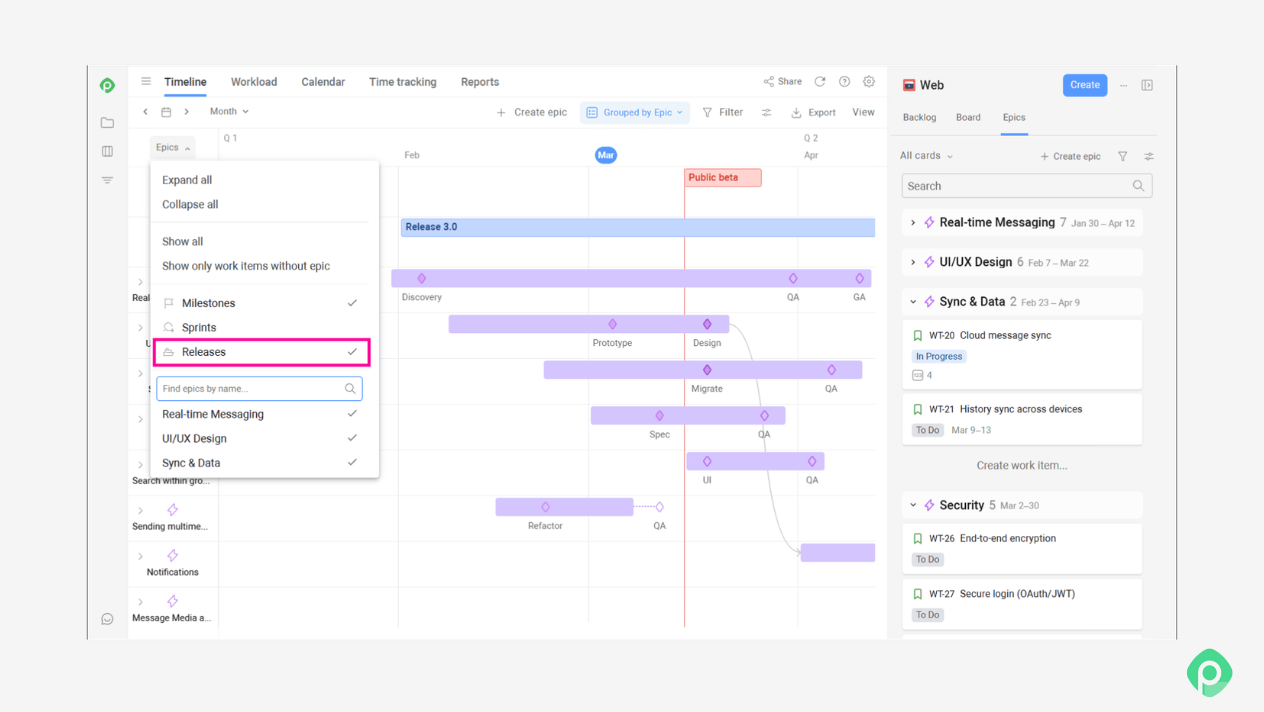
But visibility shouldn’t stop there. The release plan and process should be accessible to the whole team, so everyone knows what’s happening, what they’re responsible for, and what needs to happen before the release goes out.
The bottom line
Release planning done well varies by the team. The four questions underneath it — what's shipping, when, how, and under what conditions — stay constant, but the answers depend entirely on the environment you're actually working in, not on which methodology's name is on the door.
What matters more than picking the "right" framework is asking those four questions deliberately, every cycle, instead of letting the release date happen to you. Sam's team didn't get their process right by following someone else's playbook — they got it right by being specific about who owns which decision, what "ready" actually requires, and what changes when the environment does. That's the part that transfers, regardless of what your own pipeline, architecture, or team structure looks like, and it's what lays the groundwork for your team's future success.


FAQ
Release planning in Agile is the process of deciding what goes into a release, when it ships, and under what conditions. Unlike a plan that is locked upfront, Agile release planning is usually ongoing: the Scrum team plans around a fixed cadence, such as the next few sprints or release train, while the scope can remain flexible as priorities and customer needs change. The product roadmap, product vision, and release goal provide a broader direction, while the product backlog and user stories provide the work that can be considered for upcoming releases.
At minimum, a release plan focuses on what's in scope for the release (and explicitly what isn't), the release target date with a realistic buffer for anything outside the team's direct control, the criteria that define "ready" (Definition of Done, required sign-offs, any regulatory or security checks), and who owns the key decisions — the go/no-go call and post-release monitoring, specifically. Skipping any of these is where most release planning actually breaks down. Accounting for dependencies on other development teams, enabling teams, and other key stakeholders is also one of the best practices.
A sprint is a fixed unit of time a team works in — typically one to four weeks. A release is the act of getting software into users' hands. They often line up, but they don't have to: a release can span several sprints, while with continuous delivery, changes can be released multiple times during a single sprint.
The release management process typically covers both planning and delivery. On the technical side, code moves through a pipeline before it reaches users: written and built locally, deployed to a dev environment for basic checks, tested in QA, reviewed in a pre-production environment that mirrors production, and finally released to production. Alongside that technical pipeline sits the planning side — setting the date, locking scope, defining readiness, and deciding how the release ships — which is what actually determines whether that pipeline run goes smoothly or not. These steps help align teams and give everyone a clear direction before product delivery.