Top 7 Jira AI tools to try in 2026

If your experience with Jira AI tools boils down to “write a better issue description,” you're missing out. These days, AI agents can live right in your assignee dropdown and take over the heavy lifting, whether that's triaging a backlog, flagging delivery risk before a deadline slips, or generating test cases.
Our team spent the last month knee-deep in Jira workflows, testing everything from Atlassian's own AI features to third-party marketplace apps. Below is our tried-and-true list of the seven Jira AI tools worth checking out in 2026, plus the ground rules for rolling any of them out.
Best AI tools for Jira (quick overview)
First off, here’s a sneak peek at the best AI tools (that’s in our humble opinion, of course) that live in Jira:
| Tool | Best for | Starting Price* |
| Atlassian Intelligence and Rovo | Teams that want AI powered features baked into Jira with zero setup | Bundled into Premium plans (~$17.50/user/month). |
| Delivery risk agent by Planyway | Project managers, delivery managers, and team leads who need to monitor delivery health and progress against planned deadlines | Free for up to 10 users, then ~$3.00/user/month. |
| Xray Test Management for Jira | QA teams that want AI test prioritization inside Jira issues | From a $10/month flat fee. |
| Bito's AI Architect | Engineering teams that need technical scoping before a sprint starts | Individual free plan. The team plan starts from $15/user/month |
| eesel AI | Jira service management teams drowning in repeat tickets | From $0.40 per resolved ticket, usage-based. |
| Live Fields for Jira Cloud by Appfire | Admins who want small, targeted AI fixes on messy fields | Free with JMWE or Power Scripts. |
| Smart AI for Jira | Smaller teams that want one app to cover tickets, sprints, and release notes | Free for up to 10 users, then ~$1/user/month. |
*Pricing is for the entire tool; AI comes built into the plan.
How we selected the top contenders for our Jira AI tools list
Most “best AI tools” roundups are written from the outside: someone who doesn’t use or need these tools compares feature lists and pricing pages. The reason we decided to make a list is that we’ve spent the last few months building our own Rovo agent. This gave us dozens of conversations with customers running their own Jira instances and taught us plenty about where these tools help project managers.
One important thing we’ve learnt: the tools that actually stick are the ones that fit into how a team already works and don’t demand big changes.
That's what we checked for in each pick:
- Setup that doesn't need a developer. Could you connect it to Jira without a fuss and get a useful first result the same day?
- Knowledge that comes from what a team already uses. Does it pull context from Confluence, shared docs, and old tickets?
- Control before automation. Can you define what it's allowed to touch and how it acts, ideally without writing a complex script?
- A way to test before going live. Can you see how it would have handled past issues or tickets before switching it on for the whole team?
The 7 most useful Jira AI tools to try in 2026
Here are our educated five cents on the must-try AI tools for Jira:
1. Atlassian Intelligence and Rovo (native AI layer in Jira)
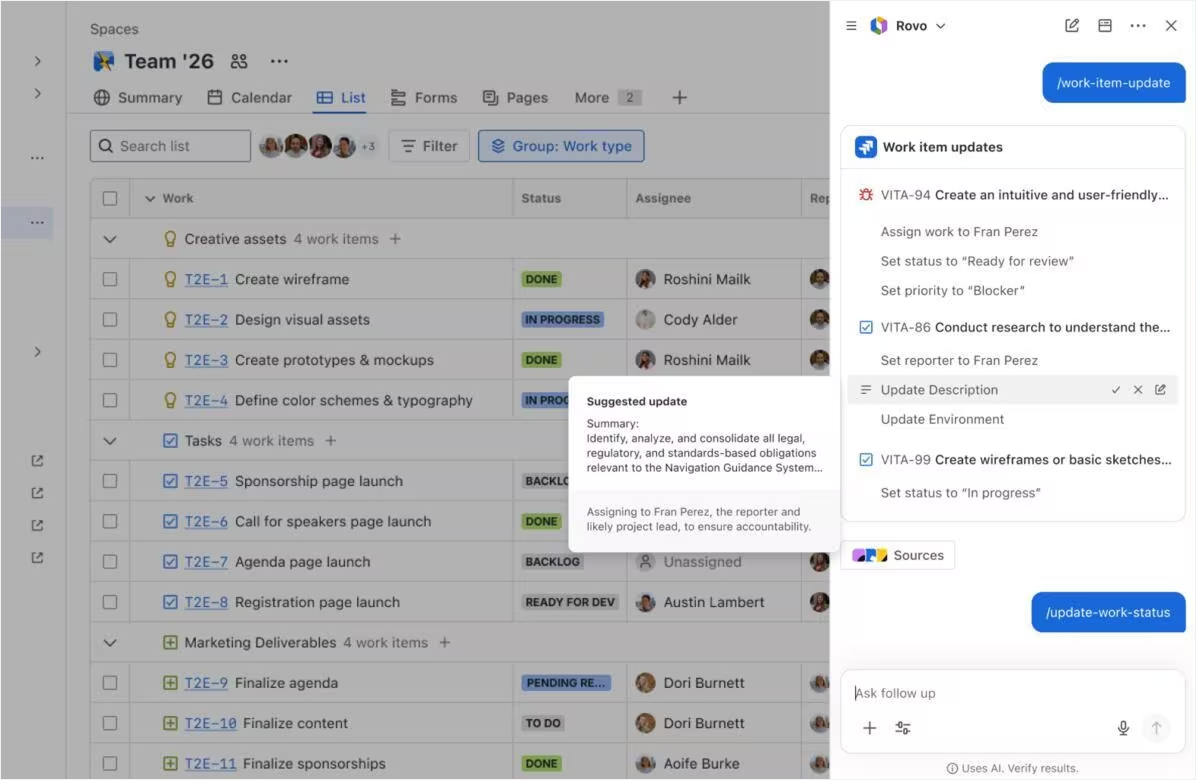
First things first, one can’t really ramble about Jira AI tools without giving an honorable mention to Atlassian’s very own AI stack. Atlassian Intelligence is the umbrella name for the AI features baked directly into Jira, Confluence, and Jira Service Management: issue summaries, natural-language JQL, smart field suggestions, and enough logic to handle complex workflows that used to need a dedicated automation rule.
Rovo sits above it as the bigger product, made up of Rovo Chat (a conversational panel), Rovo Search (enterprise search across Jira workflows and 100+ connected apps, including Google Docs), and Rovo Agents — pre-built and custom bots that take actions on your behalf.
Agents can now be assigned directly to Jira issues just like human teammates. You can @mention them in comments, drop them into automations, and mix in third-party agents from tools like GitHub, Figma, and Canva through MCP connections, so the AI isn't limited to what Atlassian built in-house.
Strengths:
- Because Atlassian’s native AI capabilities follow the same permissions and software access rules as any other Jira user, they won’t expose issues or pages to people who shouldn’t see them, which is a must‑have for large enterprises and regulated teams.
- It’s already a part of your Jira ecosystem and requires minimum setup compared to many third-party agents. Much of the value is available as soon as Atlassian Intelligence and Rovo get enabled in your cloud site.
- AI sees the full context of your existing Jira data (issues, comments, linked pages, and knowledge bases) and works with all of it instead of just isolated text snippets.
Core use cases:
- Accelerates delivery by embedding agents directly into the boards and workflows
- Non‑technical users can use natural language search to ask project questions like “What slipped from last sprint?” without touching JQL
- Summarizes long comment threads so a new assignee can get up to speed in under a minute
We know teams who used Rovo Agent Studio to build a custom agent that pulls sprint metrics — completed and incomplete issues, bug trends, cycle time, blockers — into one summary before the retro starts, saving the hour usually spent stitching dashboards together by hand.
Limitations:
- You still need clean Jira workflows and disciplined status updates; otherwise the AI analyzes noisy data and gives weak suggestions.
- Native AI is great for repetitive tasks and search, but more niche use cases (deep finance or specialized testing) may require dedicated apps.
- Rovo Agents and the deeper AI features are only available on Premium and Enterprise plans
Pricing: Atlassian Intelligence and Rovo are bundled with Premium (roughly $17.50/user/month) and Enterprise cloud plans.
2. Delivery risk agent by Planyway
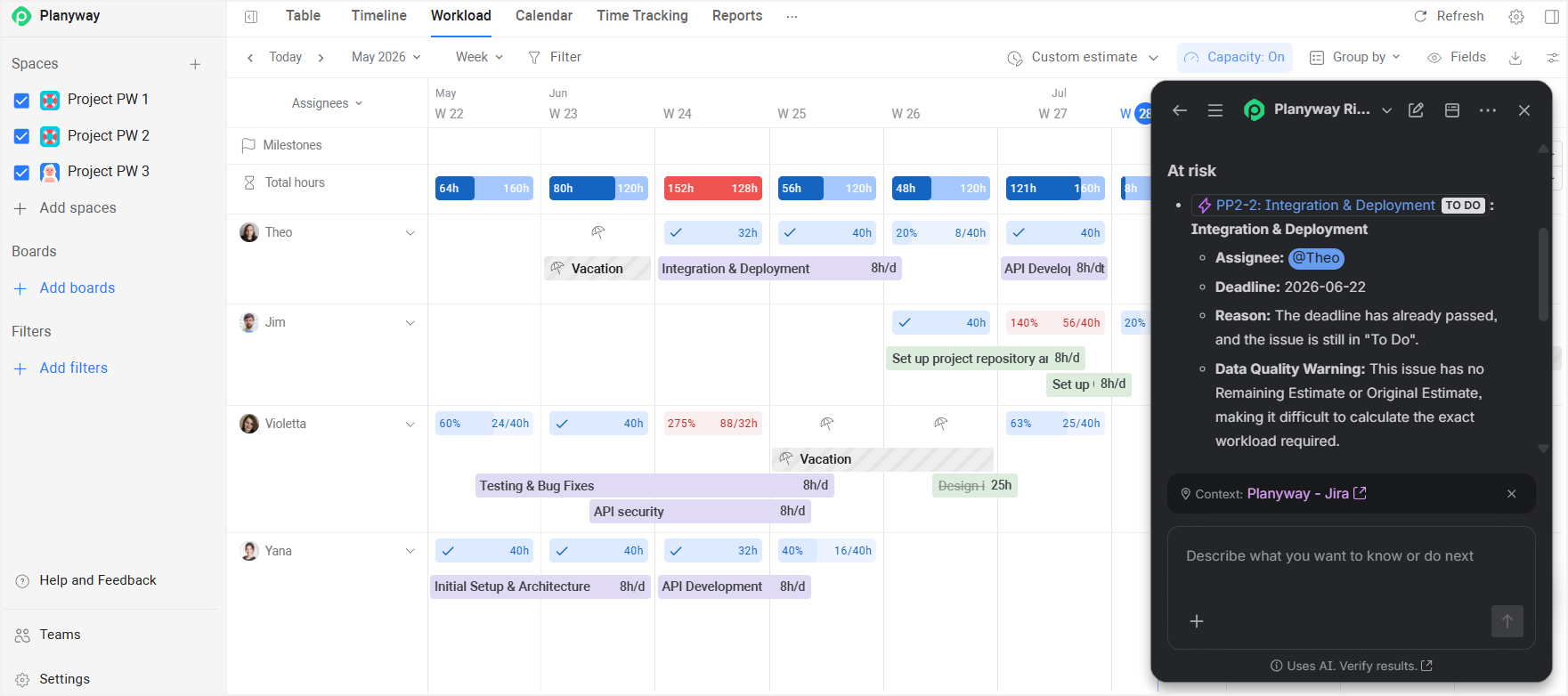
If you manage complex projects with multiple teams, risk planning is one of your core responsibilities. The Delivery risk agent by Planyway is a Rovo agent built for that job: it continuously analyses Jira issues, status updates, and throughput metrics and flags items that are at risk.
Unlike traditional project reports that focus primarily on deadlines, the Risk Agent evaluates each team member's actual available capacity. Its analysis factors in working calendars, vacations and time off, public holidays, custom schedules, remaining work estimates, workload across multiple projects, sprint context, and project timelines. This allows the agent to spot situations where a task seems to be on schedule but is at the risk of not being completed because the assignee doesn't have enough available working hours.
Rather than simply flagging a potential delay, the Risk Agent explains what is contributing to the risk, helping project managers understand whether the issue is caused by overloaded team members, limited capacity, scheduling constraints, or competing work.
It runs in two modes: the interval mode checks every issue with a due date inside a date range you specify; the sprint mode looks at the active sprint on a given board and treats the sprint end date as the deadline.
Strengths:
- Targets delivery risk explicitly and explains why, making its insights much more relevant than generic AI tools.
- Works at both the sprint level and the custom-date-range level and fits Scrum and Kanban teams alike.
- Uses real Jira data, including actual workload and time off, to surface patterns in complex workflows that usually hide in reports.
- Supports project-level, sprint-level, workload, release, and prioritization analysis through natural-language conversations.
Core use cases:
- Identifying overloaded team members before work begins to slip.
- Detecting projects and releases that are at risk of missing deadlines.
- Reviewing sprint health and understanding which issues need attention.
- Preparing for project reviews and status meetings with a quick assessment of delivery risks.
- Understanding why delivery is at risk and what actions can reduce that risk.
Limitations:
- If the team isn’t accurate with status updates or lives in Google Docs instead of Jira, the agent has little solid data to work with.
- You need to install Planyway first to access the agent.
Pricing: Free for up to 10 users, then ~$3.00/user/month.
3. Xray Test Management for Jira
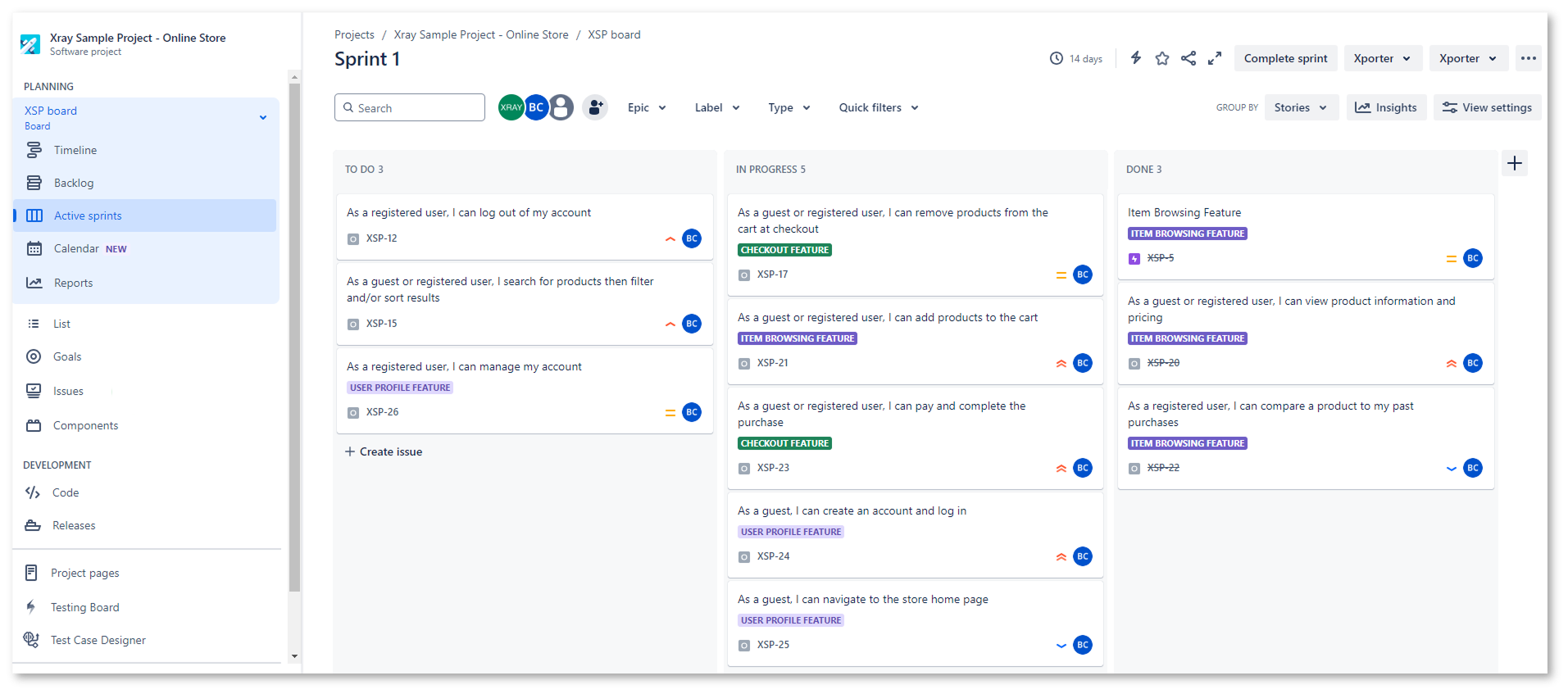
Xray Test Management brings structured test management into Jira, and its AI powered features help teams keep up with modern development cycles.
The headline feature is AI Test Prioritization, powered by Xray's Sembi IQ engine. By analyzing historical test runs, failure rates, flakiness, linked defects, and requirements, it ranks tests by importance and explains why each one was bumped up or down.
Xray also ships a Rovo Test Plan Summarizer that turns scattered execution data into a plain-language summary right inside Jira and AI-powered script suggestions that turn a natural-language description of a scenario into a manual test script or a Gherkin BDD script you can edit before saving.
Strengths:
- It integrates deeply into Jira workflows, analyzes your actual test history, and turns tests and executions into first‑class work items with full traceability.
- AI reads story descriptions and related docs to suggest initial test cases, significantly reducing manual effort in test design.
- Strong BDD and Cucumber support for teams whose agile software development process already leans on behavior-driven testing
Core use cases:
- Test cases and regression suites are instantly auto-drafted based on existing stories and knowledge bases.
- Regression coverage stays aligned with frequently changing requirements in agile software development.
- Advanced reporting on release readiness doesn’t require pulling separate dashboards together by hand
Limitations:
- The structure Xray introduces can feel heavy for smaller teams that don’t have a dedicated QA function.
- Pricing is based on your overall Jira user tier, so the effective price per active tester on a large Jira instance with a small QA team can be surprisingly high.
- Pipeline integrations typically require some familiarity with the REST API and admin configuration.
Pricing: From a $10/month flat fee.
4. Bito’s AI Architect
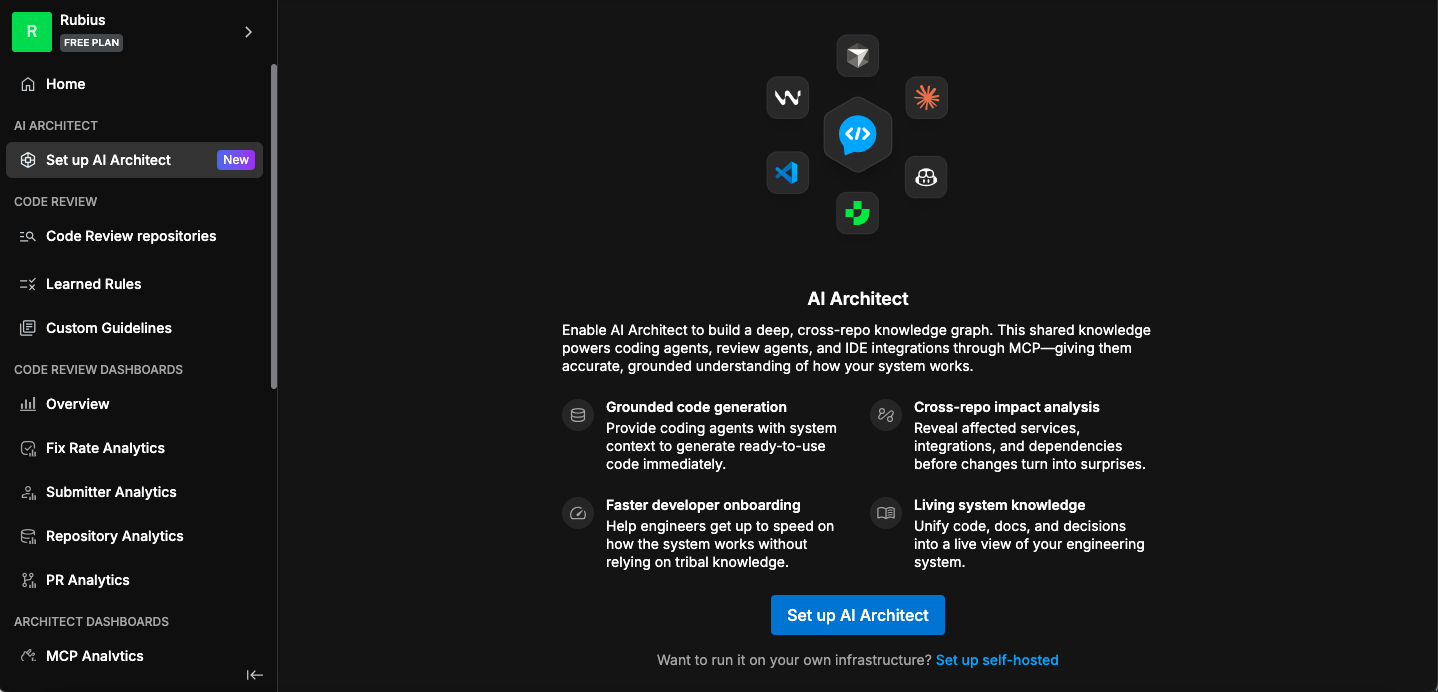
Bito’s AI Architect starts contributing to the project as early as the design and scoping phase. Once integrated, AI Architect can read epics, related Jira issues, and linked design docs, then propose architecture options and implementation steps. It analyzes new epics and stories against your live codebase and posts a feasibility analysis, a technical design outline, and an impact assessment as ticket comments.
It has the ability to connect to coding agents like Cursor, Claude Code, and Codex through MCP, so the same context that informed the design carries through to the code.
Strengths:
- Bridges project management and engineering by grounding AI-powered suggestions in your backlog
- Works best during the scoping phase, reduces miscommunication and saves time during the development cycles
- Connects design decisions directly to downstream coding tools, so context isn't lost between planning and implementation
Core use cases:
- Epics get broken down into implementation‑ready tasks based on repository context and by natural language prompts.
- Provides tech leads with a starting point for design reviews in complex projects.
- All design context flows smoothly into code generation; no need to re-explain requirements to a coding assistant.
Limitations:
- Works best for teams already comfortable with AI-powered tools in development.
- AI suggestions still need careful review: blindly trusting architecture proposals in complex systems costs too much rework.
- Built for engineering teams specifically; there's little here for support or ops teams.
Pricing: Individual free plan. The team plan starts from $15/user/month.
5. eesel AI
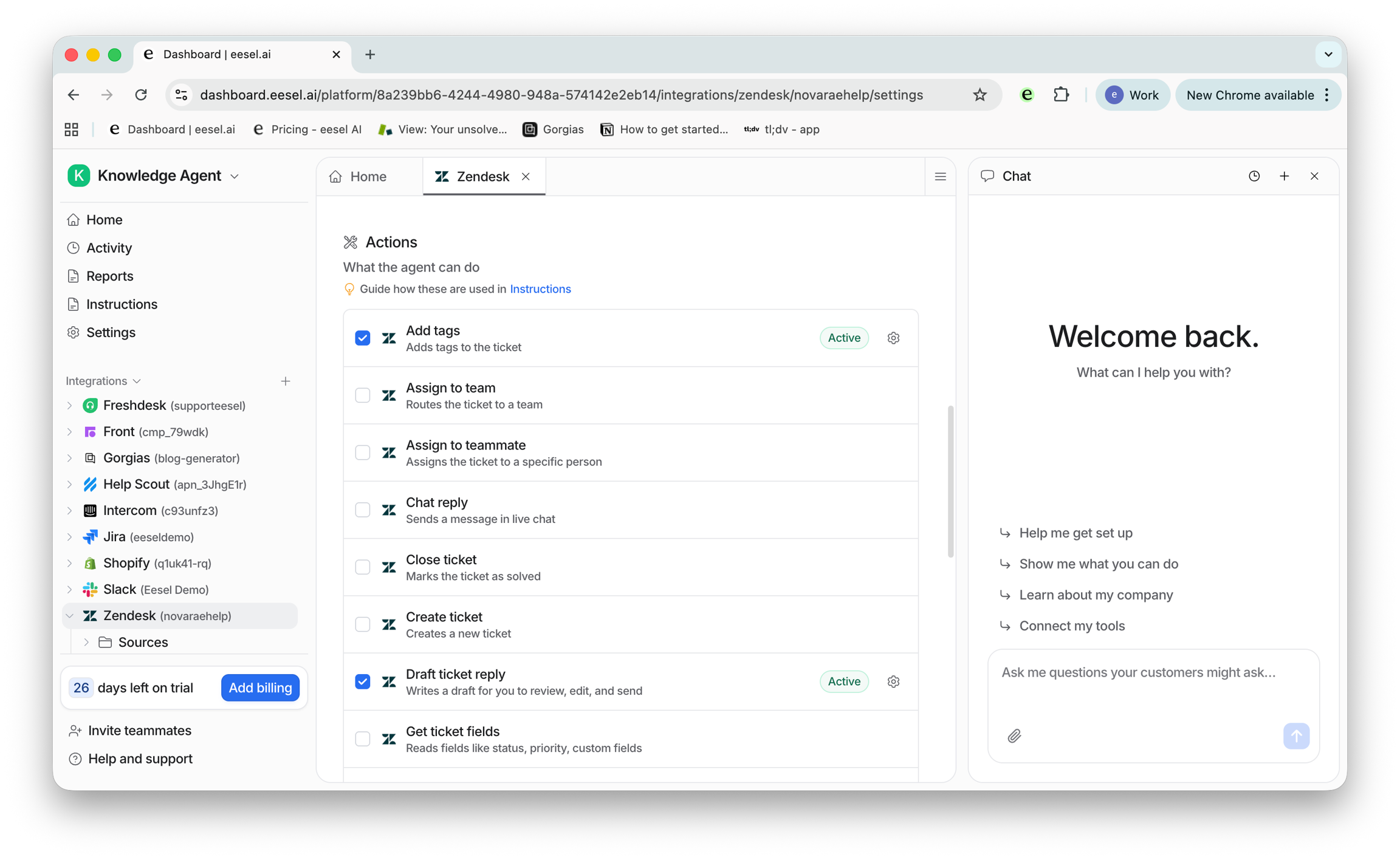
eesel AI is a cross‑tool AI-powered assistant built to fix the gap between various knowledge sources, like Jira issues, Google Docs, Notion, and Slack conversations, and more. It connects to over 100 sources, learns your specific troubleshooting patterns from historical Jira tickets, and answers both customer and agent questions using that integrated context. You can also invite eesel AI to your Helpdesk as part of the support team and train it via simulations.
Strengths:
- The setup is minimal: connect your apps, approve software access, and you can start using AI without re‑architecting your projects.
- Unifies search and Q&A across Jira, Docs, and Chat, cutting down on time-consuming hunt‑and‑peck searches.
- Costs scale with ticket volume rather than seats, so small teams aren't paying for headcount they don't have.
Core use cases:
- Supports onboarding by helping new users quickly understand context around key initiatives.
- Generates draft responses for a support team based on how agents have actually resolved similar issues before.
- Answers questions like "What's the status of the payments project?" by pulling together status updates, recent issues, and linked docs.
Limitations:
- It was not built to orchestrate Jira workflows or move tickets; it focuses on assistance and search, not automation.
- It's not a native Jira feature and relies on a lot of integrations, so it's quite a complex tool for admins to manage and monitor
Pricing: From $0.40 per resolved ticket, usage-based.
6. Live Fields for Jira Cloud by Appfire
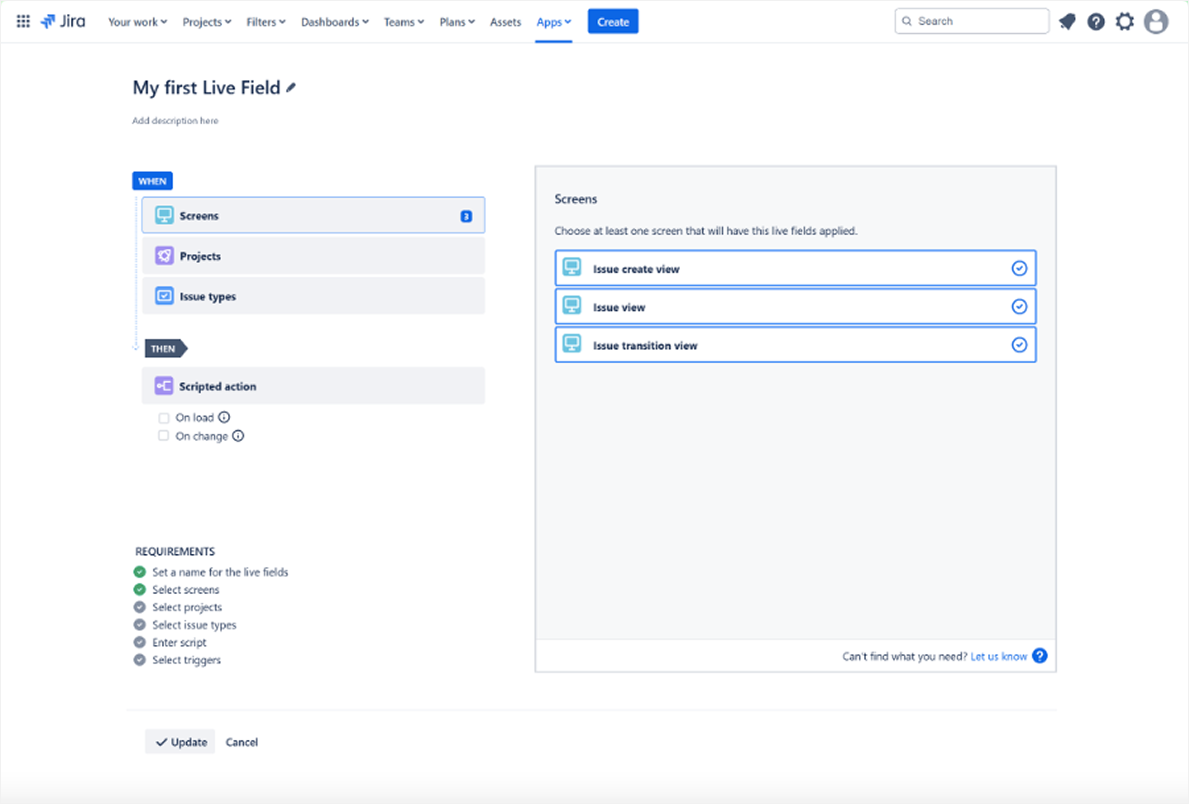
Live Fields is primarily a no-code tool for controlling how fields (like priority, due date, story points, or any custom field your team has added) behave inside Jira issues. It hides, requires, or auto-populates them based on rules you set. It also has several genuinely useful AI features, powered by Appfire AI, among which we'd call out AI spell-check and AI translation. Both solve a small, constant source of manual effort that adds up across thousands of Jira issues a year.
Strengths:
- Standardizes issue quality, making all other Jira AI tools more effective.
- Solves narrow, specific manual processes instead of trying to be a general-purpose assistant.
- Gives admins fine‑grained control over Jira workflows without heavy scripting or coding.
Core use cases:
- Keeps status updates consistent across complex projects where several teams depend on the same data for advanced reporting by enforcing required fields and auto-populating labels.
- Translates field content automatically, which is very useful for large enterprises with multilingual teams, cutting out a manual review step before anything ships.
- Cleans up typos with AI spell-check on customer-facing fields before a ticket goes out.
Limitations:
- Requires JMWE or Power Scripts as a companion app.
- You need someone who understands your project management processes well enough to encode them as rules.
- Not currently compatible with Jira Service Management.
Pricing: Free, but requires an active paid license of JMWE Cloud or Power Scripts Cloud.
7. Smart AI for Jira
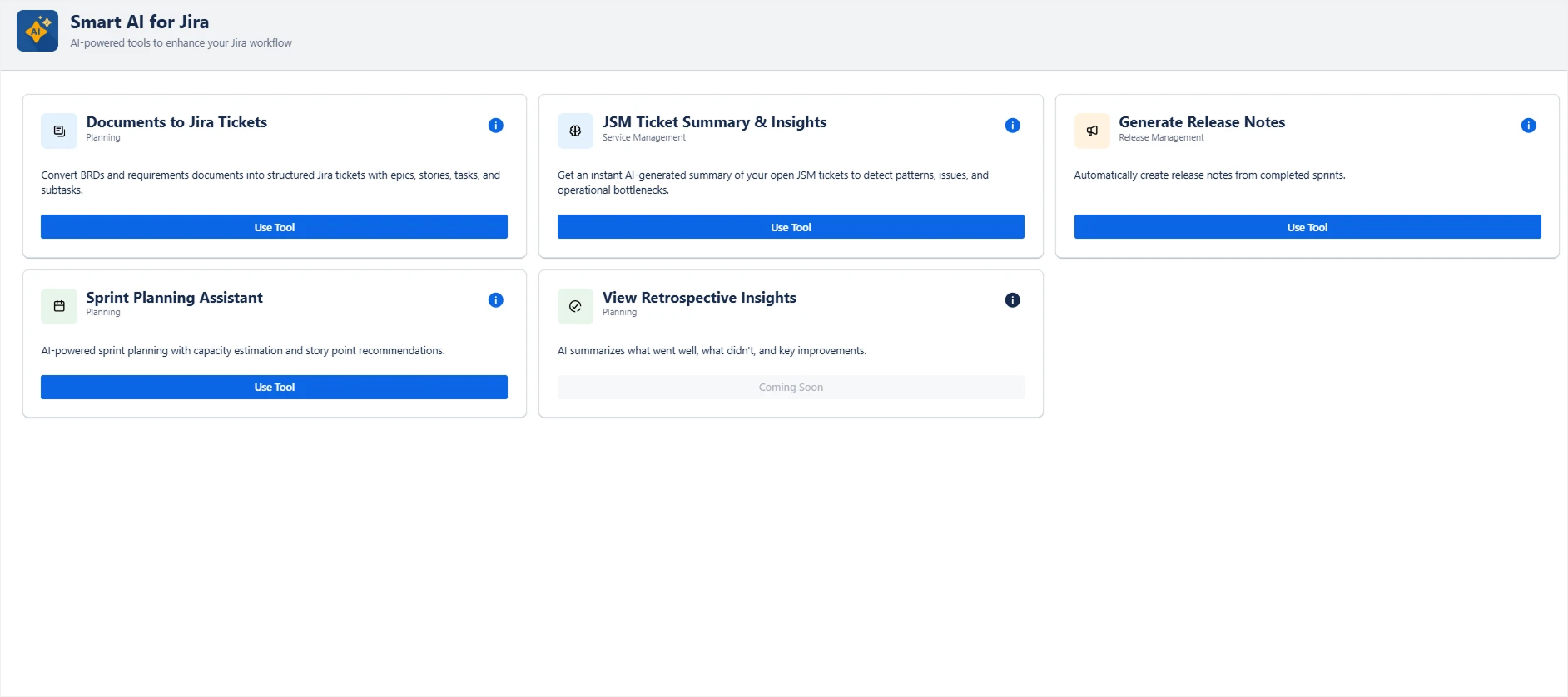
Smart AI for Jira sits directly inside Jira and makes writing and reading Jira issues less painful by offering AI-powered features such as summaries, rewriting, and draft responses for day‑to‑day work. It’s designed to tackle simple but time-consuming repetitive tasks.
It supports OpenAI, Azure, Gemini, and local LLM backends, and even ships a Data Center edition for fully on-premise processing. One of its more distinctive features is converting requirement documents into a full ticket hierarchy with sprint management.
Strengths:
- Faster issue summaries, clearer wording, and less copy‑pasting for project managers and support teams.
- On-premise option through the Data Center edition, appealing for regulated industries wary of cloud AI.
- Good for testing AI features without upgrading to higher Jira tiers.
Core use cases:
- Summarizes long descriptions and comment threads before stand‑ups or status meetings.
- Turns a requirements doc straight into a structured epic-to-story hierarchy.
- Suggests labels and metadata to improve search and downstream advanced reporting.
Limitations:
- As a third‑party app, its data handling and privacy model must be reviewed carefully.
- It doesn’t automate complex logic or multi‑step Jira workflows.
- It complements Atlassian Intelligence rather than replacing it; some features overlap if you run both.
Pricing: Free for up to 10 users, then ~$1/user/month.
Four rules for safe and effective AI integration into Jira workflows
Before you let a single AI agent near your backlog, it’s worth remembering that automation amplifies whatever you feed it. That's why it's important to take all the necessary precautions to amplify only the good things.
Remember the “garbage in, garbage out” principle
No agent can take data straight from your head or your team's real-world context; it learns from your tickets. Train one on a mess, and it'll confidently do a bad job for you. Tidying up sloppy titles, blank description fields, and sprints where nobody bothered logging status updates before you hire an AI agent isn't optional — it's far less time-consuming than untangling the extra mess AI piles on top later.
Standardize your issue templates, clear out backlog clutter, and make sure your Jira workflows actually match how the team works day to day. Clean tickets are also what turns triage, advanced reporting, and every other AI-powered feature from a nice demo into something the team actually relies on.
Soft launch with a “human-in-the-loop” pilot
The smart way to start integrating AI into your work is to pick one project or one support queue and let AI agents propose triage decisions, draft responses, or risk flags, while human agents make the final call. This does two things: it surfaces the specific ways your data is messier than you thought and gives your team time to build trust in the tool over time. Work in sprints, gradually folding in new projects or queues as each previous one stops flagging obvious mistakes.
Define exactly what each agent is allowed to do
A summary bot and an agent that can transition issues, reassign work, or close tickets represent two very different risk levels. It’s important to ensure they don’t run under the same blanket permissions. Before the testing period starts, discuss with your team and write down explicitly what each agent can actually touch. Native Rovo agents inherit your existing Jira permission scheme by default, which helps, but third-party and custom agents don't always draw the same lines automatically. Also confirm you know how to pause or fully disable an agent on short notice.
Check the vendor’s governance and privacy
Before you approve the install, look at exactly what software access it wants, then press the vendor on two specific points: whether your data ever leaves your tenant's security boundary, and whether anything typed into a ticket could end up training their public model. If the answer to that second one is yes, you shouldn’t compromise here. Either way, keep digging on a few more points. Ask where the processing itself actually runs, and whether the app genuinely honors the permission structure you've already set up in Confluence and Jira. You’ll need a data processing agreement you can actually sit down and read.
Atlassian is upfront about which sub-processors touch data outside the EU for its own AI features; plenty of marketplace vendors are far less forthcoming, which means the burden of asking falls on you before any of this touches production data.
Jira the old way vs Jira with AI: what’s better?
“Jira the old way” means manually triaging queues, hand-writing everything, building reports in Excel or PowerPoint, and walking over to someone's desk to ask if a ticket is actually done. “Jira with AI” means offloading pattern matching and repetitive tasks to AI agents so humans can focus on decisions, trade-offs, and communication.
Used well, Jira AI tools help teams accelerate delivery, reduce time-consuming admin work, and make complex workflows more manageable. This works best where solid project management discipline meets carefully chosen AI tools. There's little point fighting technological progress, but innovation deserves a careful, deliberate approach, not a blind one.


FAQ
Atlassian offers Atlassian Intelligence as the built‑in AI layer and Rovo as a cross‑product hub for AI agents, search, and chat across the Jira ecosystem.
In 2026, commonly referenced tools include Atlassian Intelligence & Rovo, Planyway Risk agent, Xray Test Management, eesel.ai, Bito’s AI Architect, and assistants like Smart AI for Jira or similar marketplace apps.
Cloud‑hosted Jira and Jira Service Management include native AI features such as summaries, natural language search, and virtual agents, plus integrations with third‑party AI tools through apps and the REST API.
The built‑in Jira AI assistant is often referred to as the virtual agent. Across the wider platform, Rovo AI agents act as assignable AI teammates that can participate in your Jira workflows.