What is time tracking in project management, and what are the best tools for it?

Bring up time tracking in a room of project managers, and you'll get two reactions, usually at the same time. Some consider it to be a pre-Agile relic — something that used to be done in conjunction with estimations in hours. Others still need the numbers, whether that’s for a client invoice, a budget conversation, or to figure out why a two-week project took five.
We’ll take the middle ground: the hour-by-hour discipline that came out of waterfall planning genuinely doesn't fit modern teams, and defending it would be a losing argument. With that said, the questions this discipline used to answer didn't die with it. So, let’s see what it's still genuinely good for, what time tracking software makes it bearable, and what best practices can potentially improve this process for your team specifically.
TL;DR
- While time tracking is often deemed a stale concept that doesn't fit modern ways of working, it can still help project teams understand where the time goes, improve estimates, and feed better resource and budget decisions.
- The key is to treat time tracking as useful project data rather than a tool for surveillance, and to make logging easy enough that people can do it consistently.
- The right time tracking software can reduce the overhead associated with time logs and connect logged hours with planning, reporting, workload, and the tools your team already uses.
What is project management time tracking?
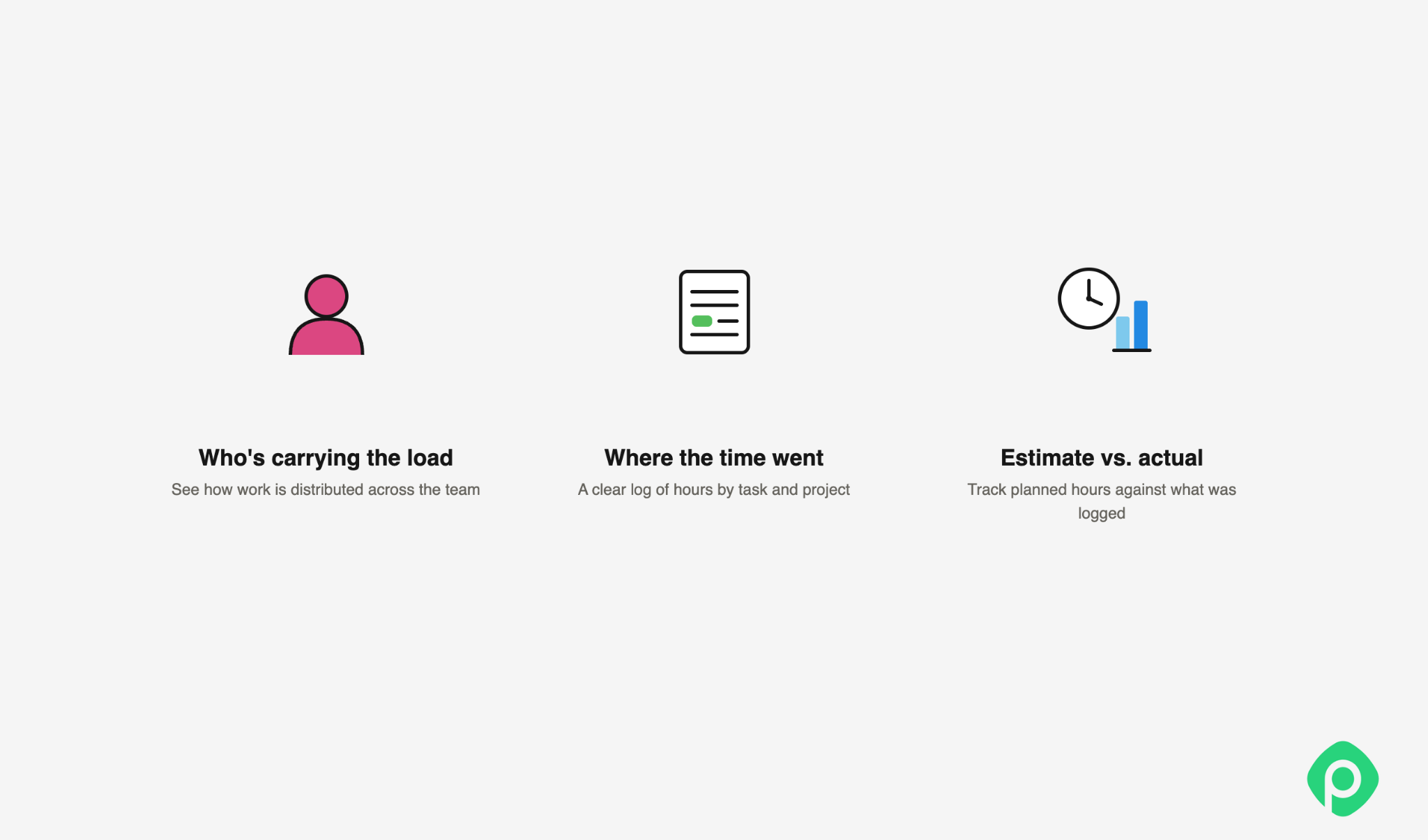
Project time tracking is the practice of recording time spent on project tasks to answer three questions: where the time went, how close the estimates were, and how much work a person or team is actually carrying.
Time tracking has been here for ages. This is one of the instruments used for tracking labor costs and calculating compensation for employees. Over the years, it has taken different forms:
- Punch clocks let workers clock in and out using a physical time card.
- Timesheets shifted the work to managers, who manually recorded the hours employees spent on the job.
- Billable time tracking became more common in the mid-20th century, when businesses started billing clients by the hour.
- Today, project management software makes time tracking much simpler, letting teams record, manage, and analyze work hours digitally. Also, as productivity tools have evolved, time tracking has become more about using that data when managing projects, allocating resources, and making better decisions about future projects.
Also, in modern project management realities, project time tracking can come in multiple shapes and forms, depending on the team:
- Manual logging - employee hours are recorded manually after the fact (daily or weekly).
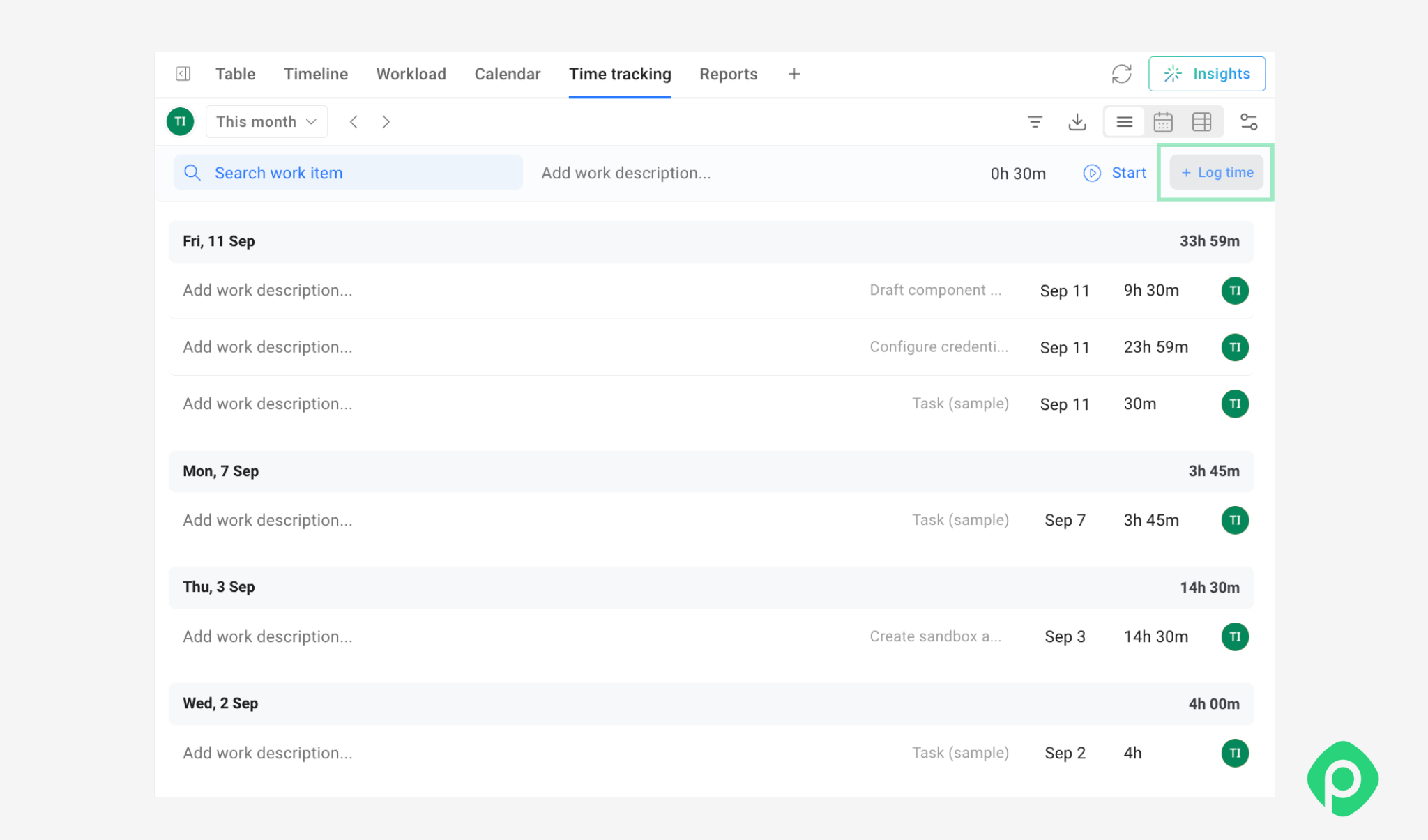
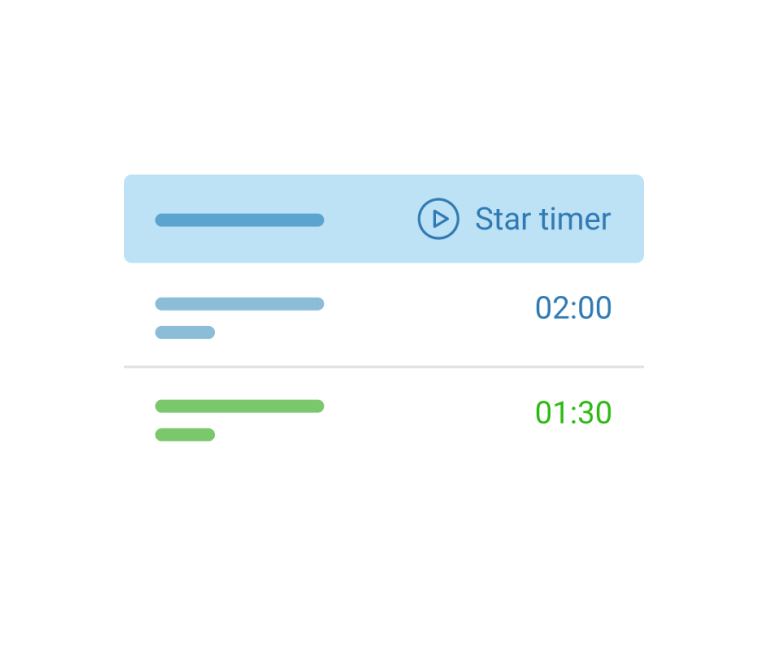
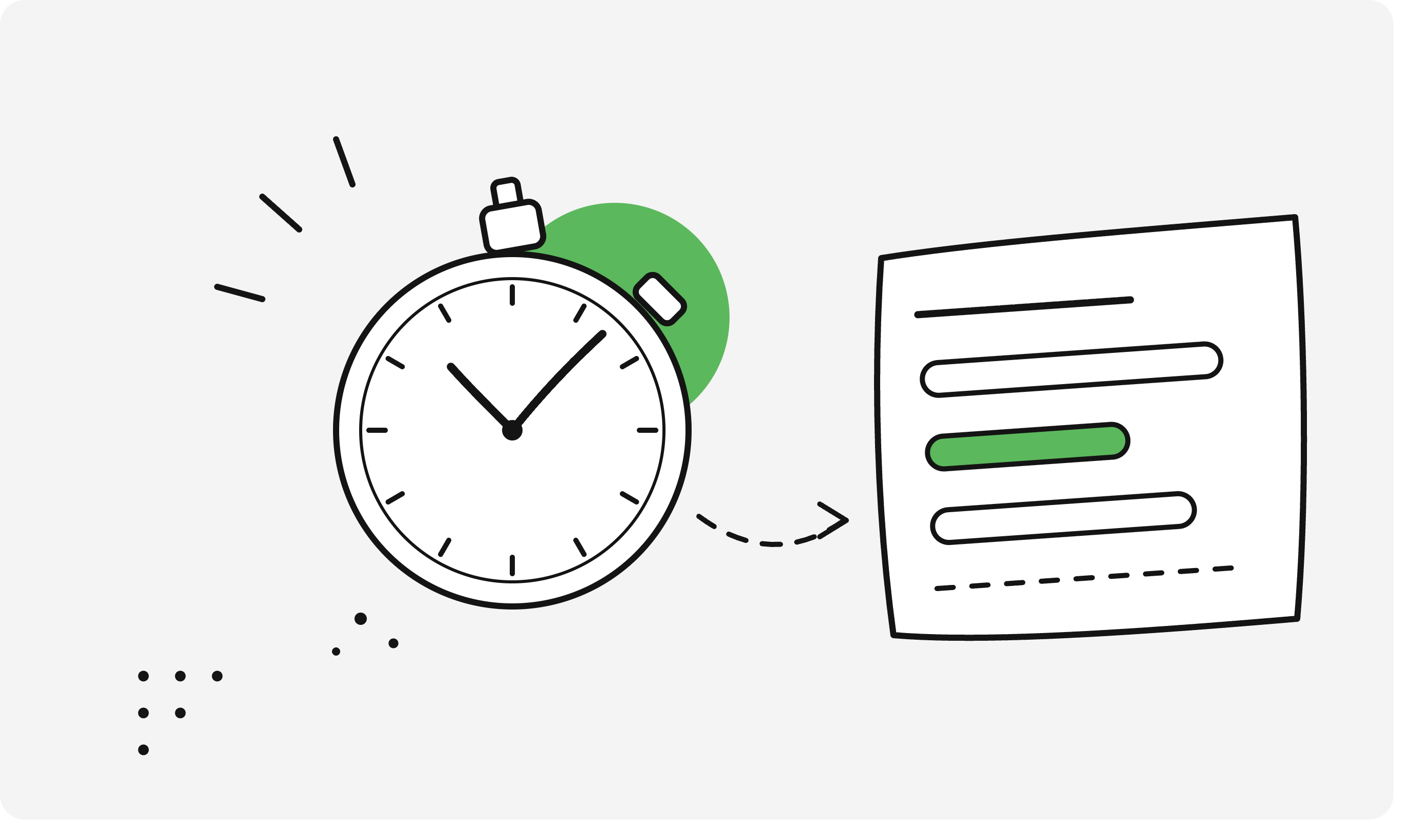
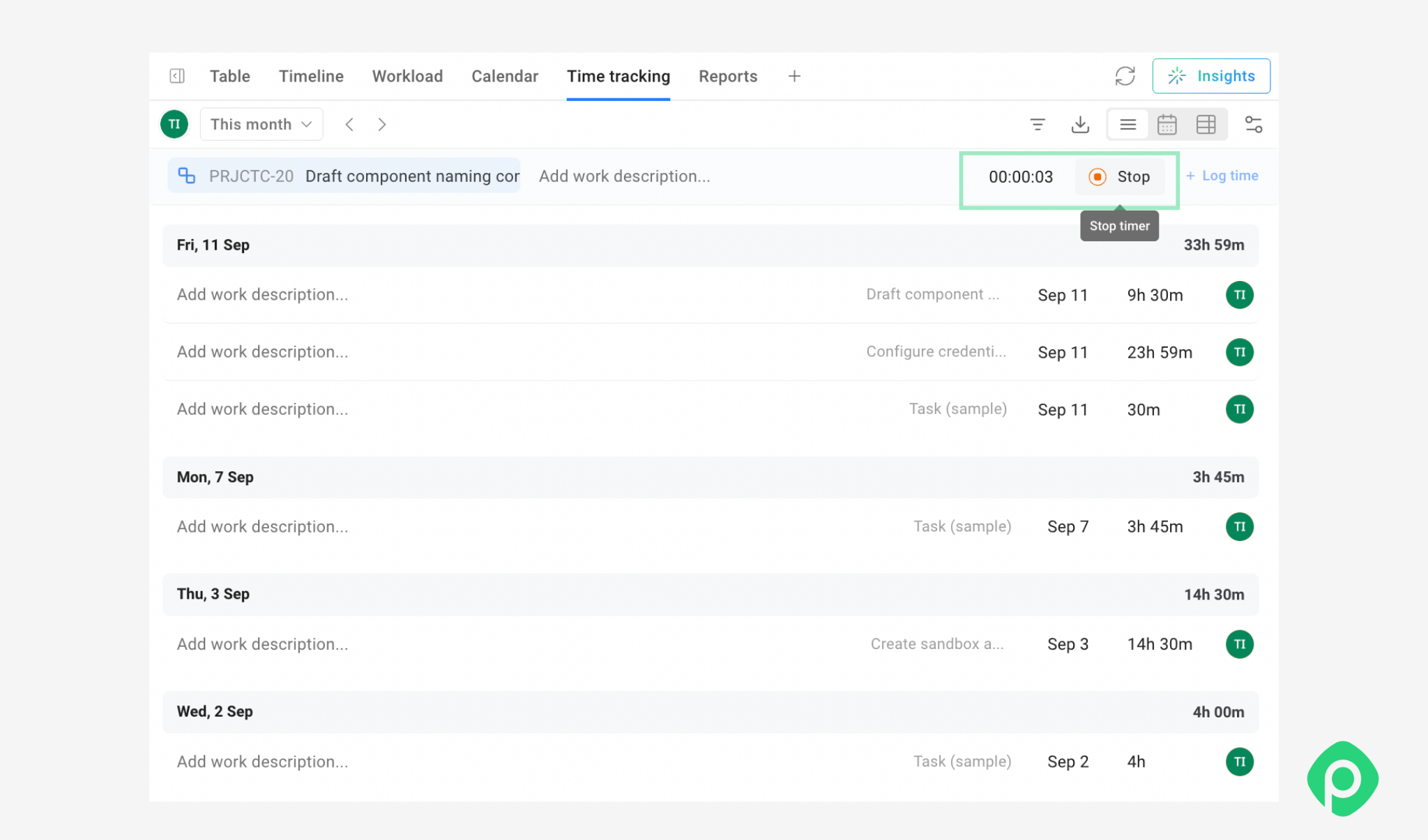
- Active timers - starting/stopping a timer while working on a task, giving more precise, real-time data.
- Automatic tracking - time tracker tools capture actual hours automatically based on calendar events, app activity, or integrations.
The output feeds directly into the things project managers are already responsible for: budgeting, billing (especially for T&M contracts), capacity planning, and reporting progress to stakeholders. Without it, all of those rely on guesswork or gut feel instead of data.
The case against time tracking (and why it's a strong one)
Back to the first camp from the intro — the one that filed time tracking under "pre-Agile relic." Let’s break it down, because the arguments for and against run along the same lines. So, if you run a survey, chances are high that a surprisingly small share of teams still log hours consistently on every task. There is some solid rationale behind the downfall of tracking time.
Trust has increased
COVID times have changed a lot of things. One of them was the assumption that productivity requires people to be physically present in the office — much like the assumption that it requires them to log every hour they spend working.
Both can become instruments of control when the underlying problem is a lack of trust. When millions of people were forced to work from home, many companies found that productivity didn’t automatically suffer just because employees were no longer sitting in the office. What mattered more was the work getting done.
Workplace culture has shifted
As mentioned above, trust has increased, and workplace culture has changed with it. Managers started valuing the outcome of work over hours spent working. This goal-oriented approach (again, a staple of the Agile method) means that knowing how many hours were spent on a task isn't a useful metric anymore.
The cultural focus has moved from "how much have you been working" to "have you completed the task." As a result, knowing time spent on a task became less important in a fast-paced, constantly changing environment, where there's little time to figure out why you spent 10 hours on work instead of the estimated 8.
No time estimates, no time logging
Another change that Agile didn’t necessarily introduce, but certainly accelerated, was reducing reliance on time estimates. Moving away from Waterfall simplified change management by accepting that change is constant and unavoidable. For that reason, setting your estimates in stone, tracking time against them, and trying to manage your work to still fit within them even as the environment evolves several times over, feels cumbersome and unnecessary.
Process mining and log mining and other mining
For managers who still want to know how their employees spend their working day, the industry has come up with other alternatives to self-reported time tracking. Many project time tracking software logs and analyzes (sometimes with AI) everything an employee does on their computer, and turns that data into reports on time spent and activity levels.
In other words, if the goal is simply to keep tabs on what people are doing, manually logging hours is no longer the only — or even the most detailed — option.
Challenges with the time-tracking process
The whole time tracking concept has some embedded bias to it, because people and the work they do don’t always fit neatly into a system designed to record hours:
- Self-reported time logs can be misleading and inaccurate, as self-reported and objective measures capture different aspects of work performance.
- Systematic overestimation can inflate reported project costs, potentially affecting how competitive or attractive a company appears in the market.
In practice, time-tracking antipatterns, such as delayed tracking, proxy tracking, and speculative tracking, are nearly universal. Their prevalence likely varies by team, process, and tracking method, so it’s difficult to say how widespread these behaviors are without stronger evidence.
Looking at all this, the picture for time tracking and time logging doesn’t look very promising. But while on the outside, the practice of time tracking can feel outdated, it would be premature to abandon it altogether, since the benefits of doing so don’t go anywhere.
The benefits of tracking time on projects
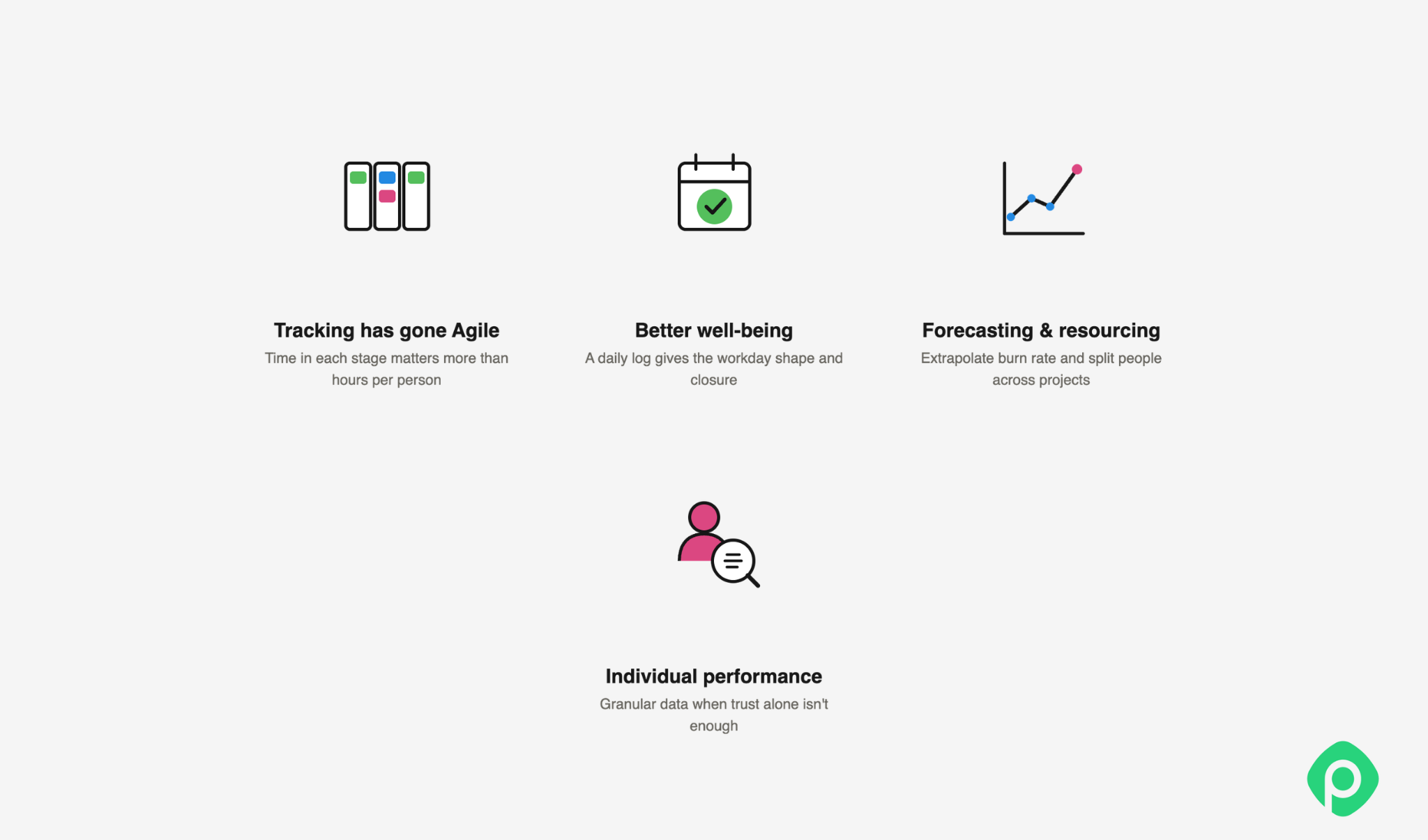
There are several good reasons why time tracking and time logging are still worth doing. To properly weigh why it still pays off — and is worth persevering through the grumbling of your team — let's look at the following reasons:
Project time tracking today is different
With the majority of projects moving to Agile development, tracking has become Agile too. Performance metrics have become less personalized and more team-oriented, and this shows up in how modern project time tracking software reports progress: increasingly by keeping tabs on how long work sits in a given stage rather than by how many hours any one person logged against it.
Logging helps improve employee well-being
Research shows that people who keep track of time spent on tasks usually report better well-being than those who don't. This is worth mulling over, because intuitively you'd expect the visibility of time ticking on every task to add to stress rather than reduce it.
Although time logging is often assumed to motivate people to finish tasks faster (even with no estimate given), there's no real evidence it actually makes people finish faster. What it does seem to do is give your own workday a shape: logging your time at the end of each day can be a useful retrospective — a chance to see where your time actually went, reflect on what went well, and think about what could improve. It can also give you a clearer sense that the workday is done, making it easier to switch off.
Forecasting and resource management
This benefit of project time tracking plays out in multiple ways:
- There's still no better way to extrapolate your work burn rate. If you've estimated in hours, time logging tells you where you stand on CPI and SPI, and is essential for tracking budget and schedule performance.
- Companies sometimes have limited resources and need to split one person across two projects. Reporting hours here helps with resource allocation and shows whether each project got the attention originally planned.
- Logging time for new hires can double as a way to measure your own HR process. If your HR department has a time-to-productivity metric, actual time data can help verify whether onboarding is delivering the expected results.
The same logic extends to checking the reliability of the data you base decisions on. Where automatic time tracking tools exist alongside manual reporting tools, comparing the two — in aggregate, not person by person — can surface systematic gaps between what people log and what they actually spend time on. This can be anything from forgetting to log meetings and rounding "focused work" up to under-logging admin and context-switching time.
The goal isn't to audit individuals, but to calibrate how much to trust the logged numbers before using them for capacity or budget decisions. If a team consistently under-logs its time, even by 20%, your burn-rate calculations will be off regardless of how solid the rest of your process is.
A source of statistics on individual performance
In an ideal scenario, a project manager always works to build more trust with the team. But sometimes, a manager finds themselves in a situation where building trust is simply too big an undertaking, and the company's climate works against it. In this case, logging time manually helps distinguish individual contributions when more than one person is working on the same task. Most project management tools don't let a single task have multiple assignees while automatically splitting the time each person spent (btw, Planyway for Jira has that ✅). And without manual logs, that level of detail simply isn't available.
Manual time tracking can also flag potential over- or underperformance early — something that can be harder to spot in Agile environments, where team-level collective effort may obscure individual contribution. Instead of relying solely on 360 reviews and opinions based on limited visibility into day-to-day work, a manager gets more granular, harder, and more reliable data to draw on when assessing performance.
Project time tracking software: three options
Different time tracking apps offer different advantages when it comes to tracking time and reporting on the amount of work/time/budget consumed. When picking time tracker software, look at the time tracking and project management features you or your team really need: native time tracking within your system of record, the number of users it supports, and whether the plan makes sense for your team. A simple setup may be enough for small teams, while larger organizations may need advanced features, unlimited projects, or unlimited users.
We’ve picked three time-tested time tracking tools for different use cases.
Planyway for Jira — for time tracking tied to project planning
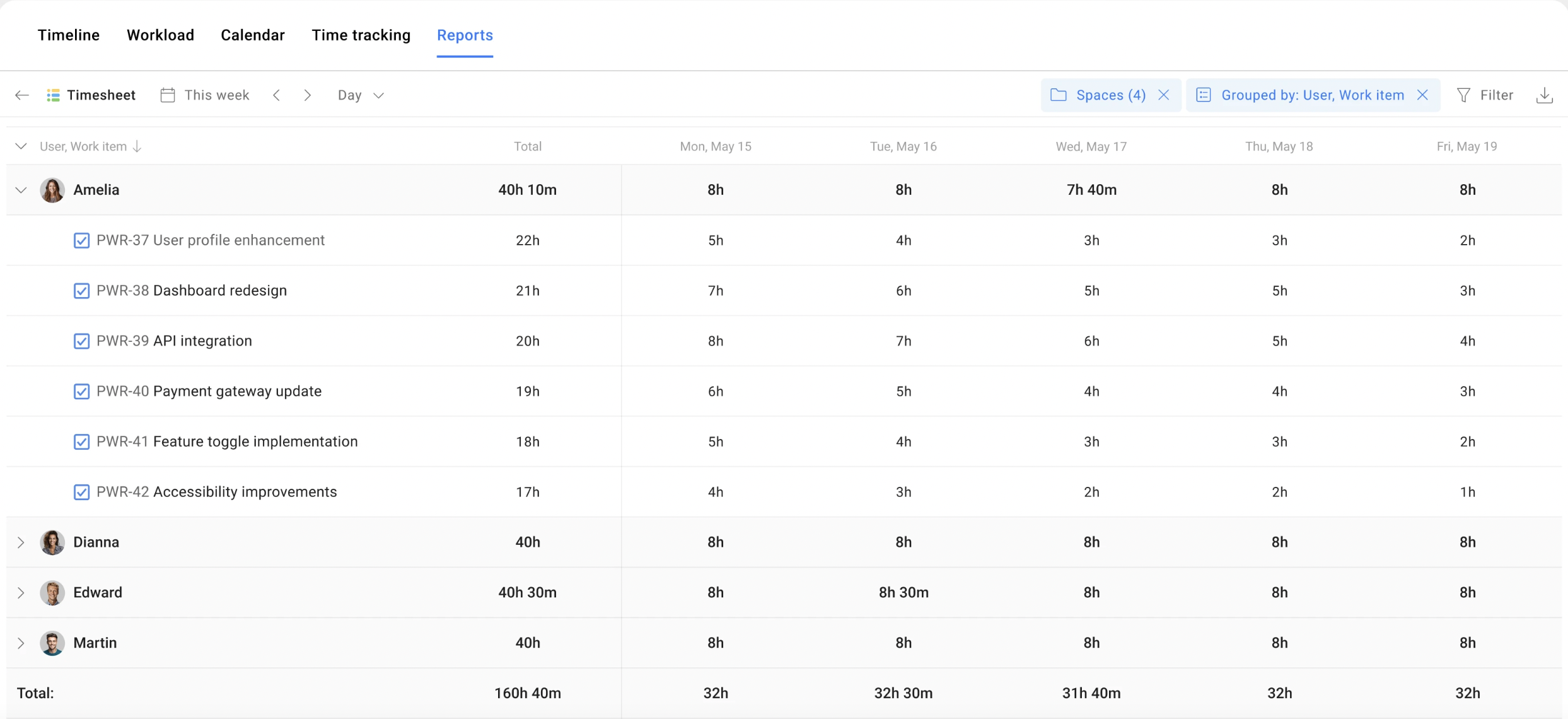
If your team already works in Jira and needs time tracking to inform planning and resource decisions, Planyway for Jira keeps these activities connected.
This time tracking app lets you compare planned and tracked time, see deviations from estimates, and break down logged hours by work item, epic, user, or date — across multiple projects at once. You can also compare scheduled work with team capacity to see where the plan is overloaded or underused.
Key features of Planyway for Jira:
- Log time directly in Jira work items
- Manual time entries and timer
- Calendar and list views for time entries
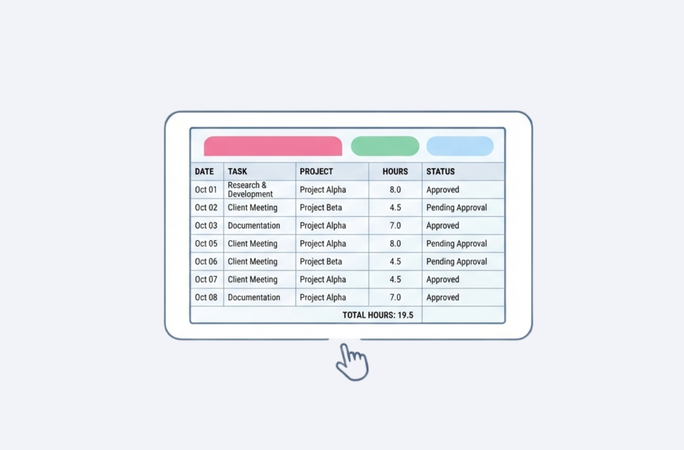
- Team timesheets
- Planned vs. Tracked reports
- Time reports by project, epic, work item, user, and date
- Workload and capacity planning
- Excel and CSV exports
Pricing: free plan for teams of up to 10 users; paid plans from $3/month (good customer support is part of any plan).
Pricing: free plan for teams of up to 10 users; paid plans from $3/month.
Clockify — for tracking time across your work tools
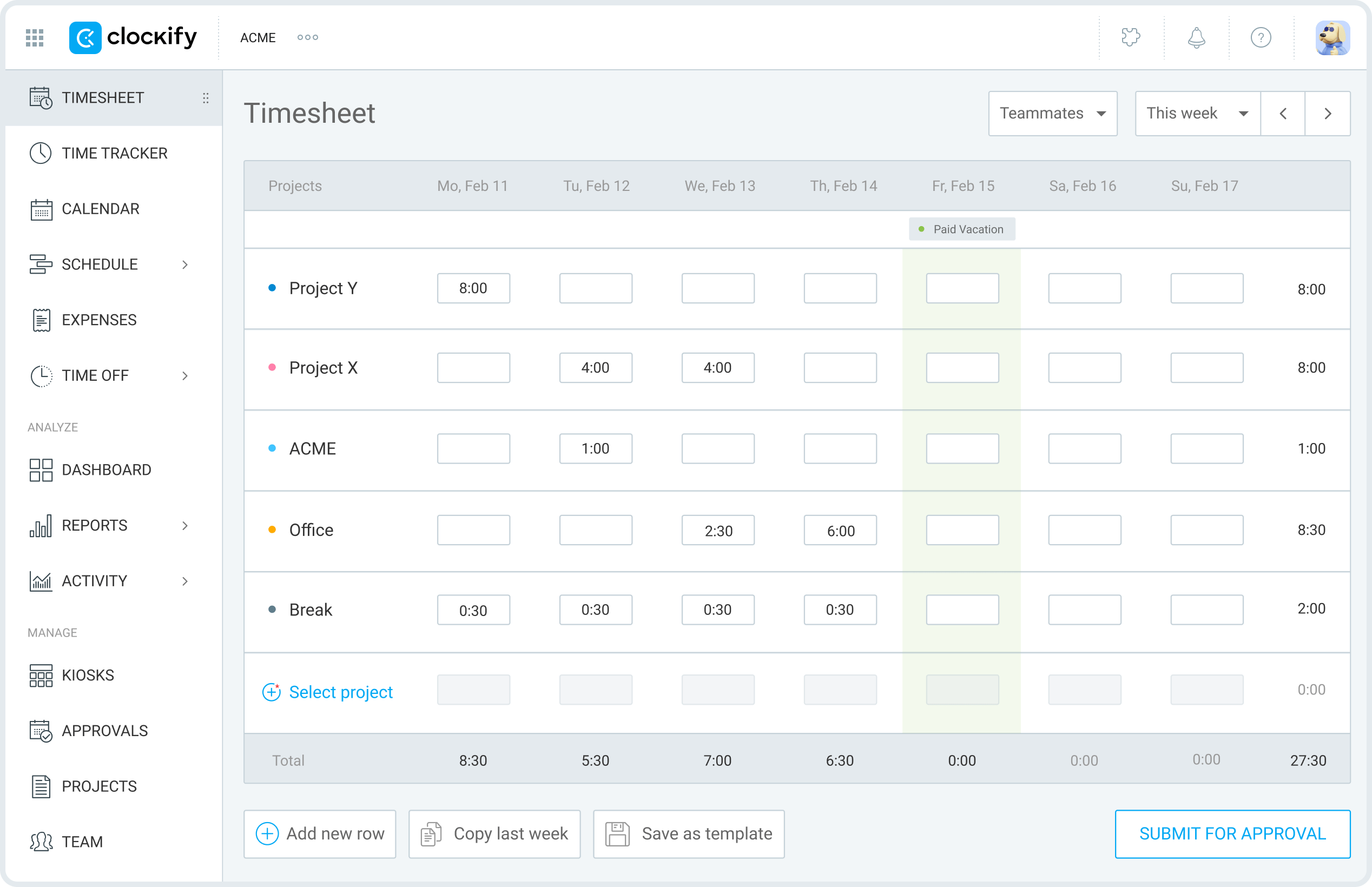
If your team works across several tools, Clockify can bring time tracking into the same workflow. It integrates with 100+ web apps, including Jira, Trello, Asana, Google Calendar, and Outlook, so you can start a timer from the tools you already use.
Key features of Clockify:
- Timer and manual time entry
- Timesheets and calendar
- Time reports and breakdowns
- Billable and non-billable hours
- Estimates vs. tracked time
- Cost and profitability reporting
- Data export
- Desktop, mobile, and browser apps
Best for: teams that work across multiple tools and want one time tracking system to capture and report on hours across their entire workflow.
Pricing: Free for up to 5 users; paid plans start at $3.99/user/month when billed annually.
Harvest — for budgets, billing, and advanced reporting
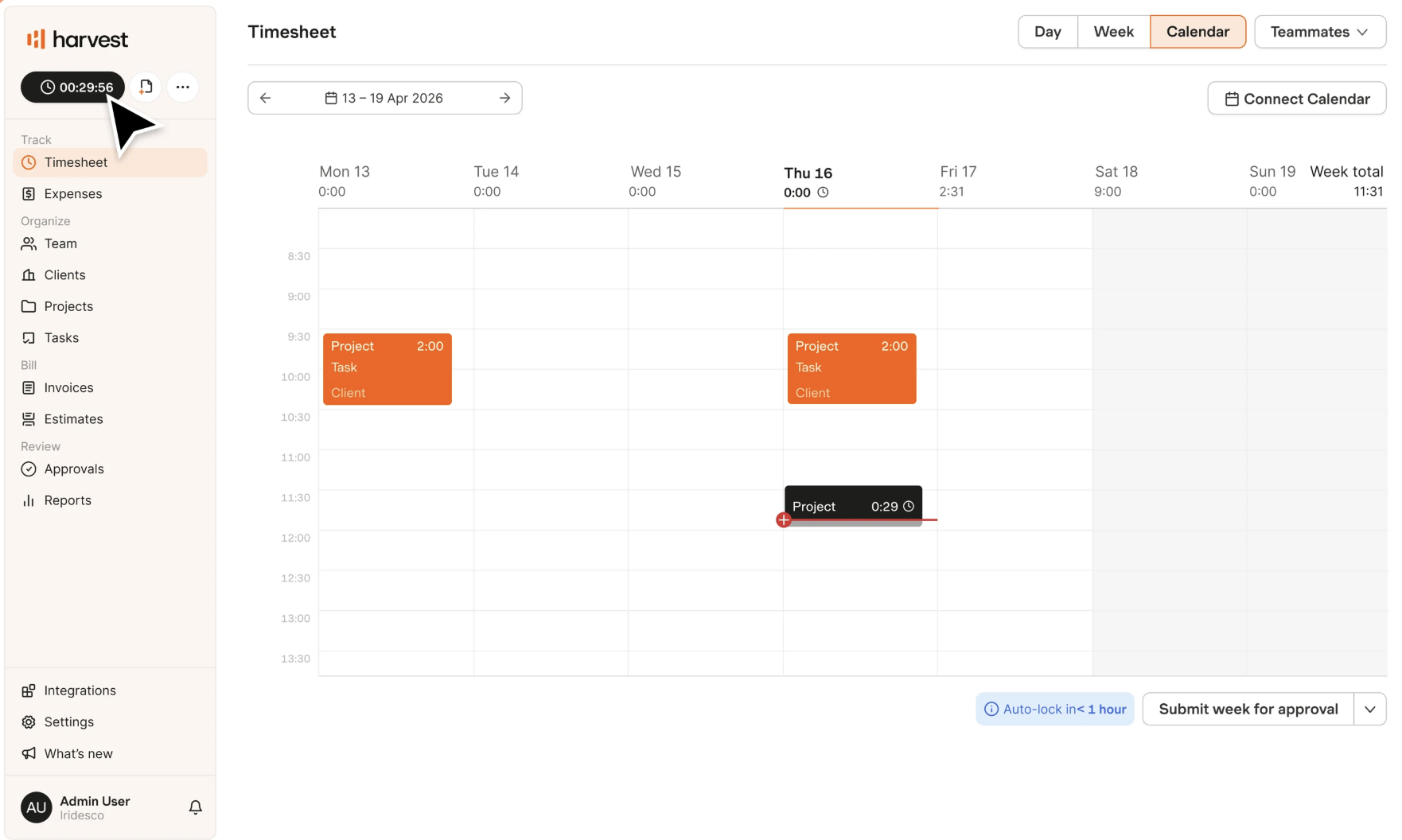
Some teams track time primarily to understand how much a project is costing and whether it is staying within budget. Harvest is built around this use case, connecting time tracking with project budgets, billable hours, invoicing, and profitability.
Key features of Harvest:
- Automatic time tracker and timesheets
- Billable and non-billable time
- Project budgets and budget alerts
- Team utilization reporting
- Project cost and profitability reports
- Timesheet approvals
- Invoicing and payments
- Custom reports and exports
Best for: agencies, consultancies, and other project-based teams that need to connect tracked time with budgets, client project billing, and profitability analysis.
Pricing: Free for 1 seat; paid plans start at $9/seat/month when billed annually.
Project time tracking best practices: 6 battle-tested tips
There are a few things one needs to remember to make the most of time management software and take a few headaches out of the process itself,
Treat time tracking as a tool for the person doing the work first, and a source of reporting data second
The well-being research on this is worth taking seriously: people who track their time tend to report feeling more in control of it, independent of whether output measurably improves. If tracking only ever exists to feed a manager's dashboard, you lose that benefit and get compliance-driven logging instead, which is the kind of logging most prone to the failure modes above.
Make time tracking a habit
Don’t wait until the end of the week and try to reconstruct what you or your team worked on Monday. As a project manager, encourage the team members to log work right after it’s been done or at a few natural points during the day. This keeps timesheets more accurate and makes time tracking feel like a small part of the workflow rather than another weekly chore.
To this end, built in time tracking apps can be a good option. Time logs become part of the same system the team is already working with, so there’s less context switching and less chance of forgetting to record something.
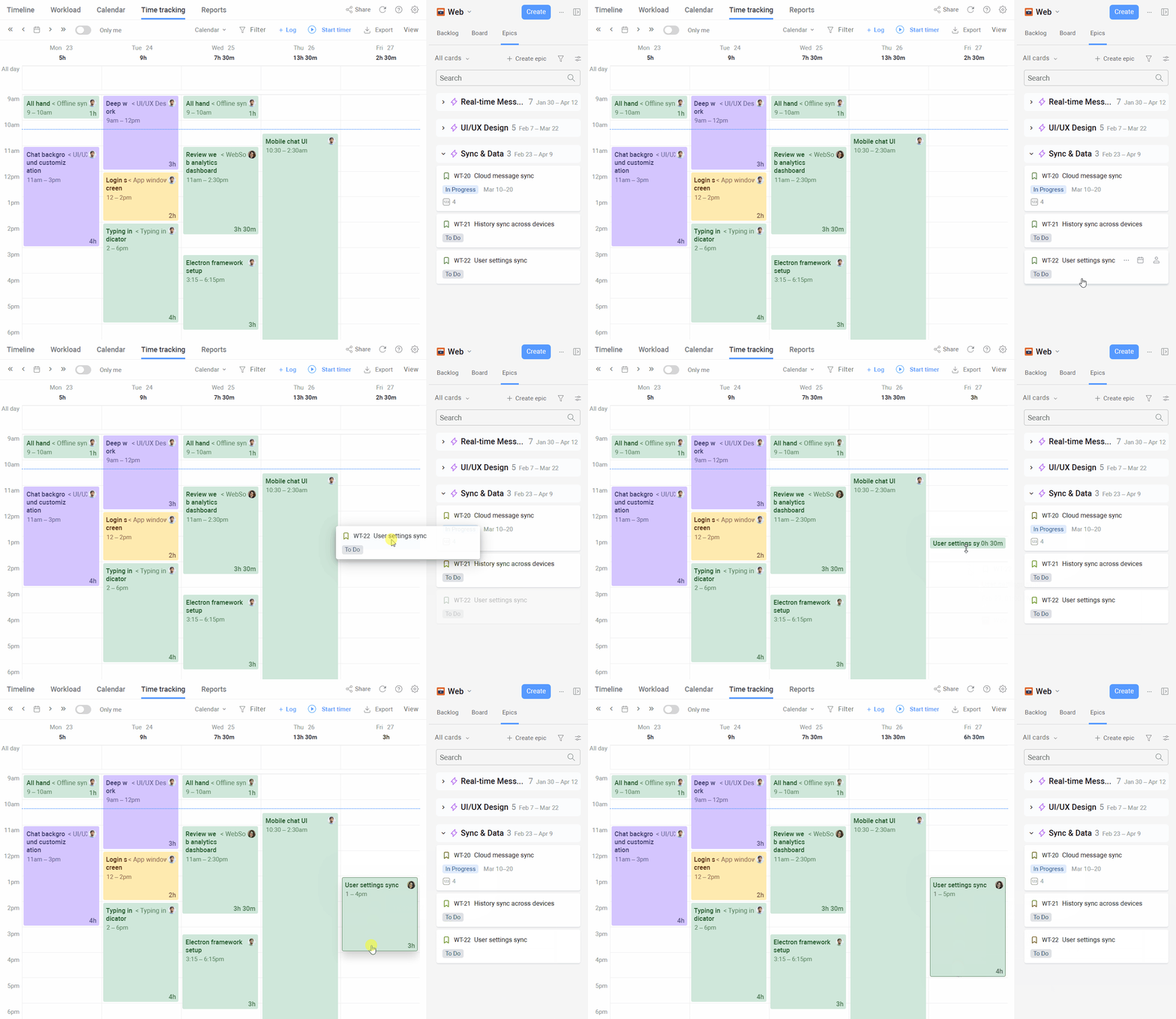
Use a calendar
By the same token, try to plan work in the calendar to make time tracking much easier for the whole team. The team can then block out the work they plan to do and log time as they go. That way, nothing slips through the cracks, and you get a clearer picture of where your team’s time actually went.
Be truthful to yourself
Time logging exists because you need to compare assumptions with reality. This is a tool that helps analyze the current process with a fine-tooth comb and see where friction or overspending persists.
But humans are humans. If someone estimates a task at 4 hours, starts working on it, and suddenly notices that they’re near the four-hour mark while still only halfway, the knee-jerk reaction is often to keep working and log only 4 hours. Resist that temptation. If the task takes 7 hours, log 7 hours, because the gap between that actual and estimated is exactly what you need to see and report on.
Do not equate logging time to reporting time
Keep the timesheet and the time report as separate artifacts. It’s quite common for people to log more time than originally expected, which may not be appropriate to present to the client at face value. Sometimes, it’s the opposite: the timesheet may understate the actual time spent because someone has forgotten to log something.
Bottom line, timesheet hours are good for stats and diagnostics of your processes, but they are not the hours you should report, estimate, or submit to a client. Treat the raw data as an input for analysis rather than a final report.
Make it easy for people to do it
Project time tracking can quickly start to feel as yet another administrative hoop to jump through, especially when people don’t see what happens with the data afterward. As a manager, there are a few simple ways to prevent the bad rep:
- Build trust. If you say you’re not using time tracking for surveillance, make sure your practices back that up.
- Make it convenient. Give people solid time tracking tools that are easy to access and fit naturally into their existing workflow.
- Lead by example. Track your own time and be open about how you use the data. It’s easier to ask the team to do something you’re willing to do yourself.
- Do something with the data. If people spend time logging their work and never see it optimize resource allocation, estimates, or processes, they’ll have little reason to keep doing it accurately.
Time tracking works when it fits how teams work
Time tracking isn't outdated so much as it's outgrown its old shape. The rigid, hour-by-hour discipline that came out of waterfall planning genuinely doesn't fit how most teams work anymore, but the underlying need it served, knowing where time actually goes, hasn't gone anywhere. What's changed is why teams track time and how much of it they ask people to log.
Used well, time tracking gives managers real forecasting data, honest resource visibility, and a way to check assumptions against reality — without requiring the kind of surveillance-heavy culture that gave the practice a bad name in the first place. The tools covered above, Planyway included, take a lot of the friction out of that process, so logging time stops being a chore your team resents and starts being data you can actually use. Pick the practice and the tool that fit how your team already works, apply the habits outlined above, and time tracking earns its keep instead of just adding to the pile of admin work nobody wanted.


FAQ
It depends on what you need most: reporting depth, ease of use, task management, or integration with tools you already use. For example, if you work in Jira, you can consider Planyway for Jira or any other option with two-way data sync for more convenience. Look at the key features, learning curve, and whether the tool helps you manage tasks efficiently and track progress across projects.
The best method is whichever one people will actually stick to consistently - manual logging, an active timer, or automated time tracking — depending on how much precision you need and how much friction your team will tolerate. Built-in time tracking within a full project management suite, a desktop app, and a mobile app can make logging easier, but consistency matters more than precision.
Log time close to when the work happens rather than reconstructing it later, keep logged time separate from reported/billed time, and make sure the data you collect actually gets used — unused time logs are the fastest way to kill adoption. Accurate project time data is most useful when it feeds planning, estimating, detailed reports, budgeting, or process improvements.
It's the practice of recording how much time is spent on tasks, used to check estimates against reality, calculate workload, and feed into budgeting, client billing, and reporting. In practice, it can take the form of basic time tracking through manual logs, timers, or automated time tracking tools.
A good tracker gives you visibility across projects and people, not just per-task logging. When comparing the key features time tracking tools offer, look for task management, project timelines, team management, aggregation, exportable reports, and integration with wherever your team's work already lives. Tools like Planyway extend this directly inside Jira, helping teams assign tasks, track progress, and manage work across projects.