Resource planning in project management: why your plan breaks, and how to fix it

Almost every organization under the sun has more work than people to do it. That makes resource planning a fact of life in project management, whether teams call it that or not. The question is whether it’s controlled or not.
As a team behind Planyway for Jira, we often talk about resource planning gone wrong with our customers. And you know, the details differ, but the problem is often the same: plans are built around dates before anyone checks who actually has time to deliver them.
But here’s the trick: your dates are only as reliable as your view of your resources ;)
TL;DR
- Accurate resource planning matches work to real team capacity by deciding who works on what, when, and with how much available time.
- Capacity, resource allocation process, and workload are connected: capacity shows what the team has available, allocation shows where that capacity goes, and workload shows whether assignments are realistic.
- Jira teams need visibility beyond the backlog. Project management tools like Planyway help visualize assignments, availability, and workloads on a timeline so you can spot conflicts and adjust plans early.
What is resource planning in project management?
Resource planning is the process of matching the work you need to deliver with the people, skills, and time available to deliver it. It usually answers four questions:
- Who will do this work?
- When will they be free to do it?
- Do they have enough time, given everything else they're doing?
- If not, what gives?
That last question matters most, and most definitions skip it. Resource planning is often described as "assigning people to tasks," but assignment is the easy part. Aside from simply putting a name on a Jira issue, the actual resource planning part comes in when you assess whether that person can take it on and decide what to do when they can't.
Another important thing to remember is that there are various kinds of resources required for a project success, including material and non-material ones. As you’ve already guessed, we’re covering human resource management in this blog post.
Resource planning vs. capacity planning vs. resource management
Here’s the difference, explained plainly:
- Capacity planning asks, at the organization or team level, whether you have enough people with the right skills to take on the work in front of you. Its outputs are decisions about hiring, delaying, approving, or cancelling projects.
- Resource planning works at the level of specific people and specific projects. It decides who works on what, and when. Resource planning ensures the work fits the team's actual capacity.
- Resource management is the umbrella over both, plus the ongoing work of tracking project progress and adjusting.
In practice, you need both planning levels, and they feed each other.
Resource planning process in 5 steps
The process below works for a single team and scales to a portfolio. The steps are sequential the first time through, but in practice you'll loop back through them every planning cycle.
1. Start with demand: what work, what skills, when
List the work at a level where you can tell what skills it needs. In project management, that usually means epics or major deliverables (a work breakdown structure if the project is complex enough), not every task. For each piece, note:
- which roles or skills it needs (backend, design, QA, a specific system's knowledge);
- the rough timing and any fixed dates;
- dependencies on other work.
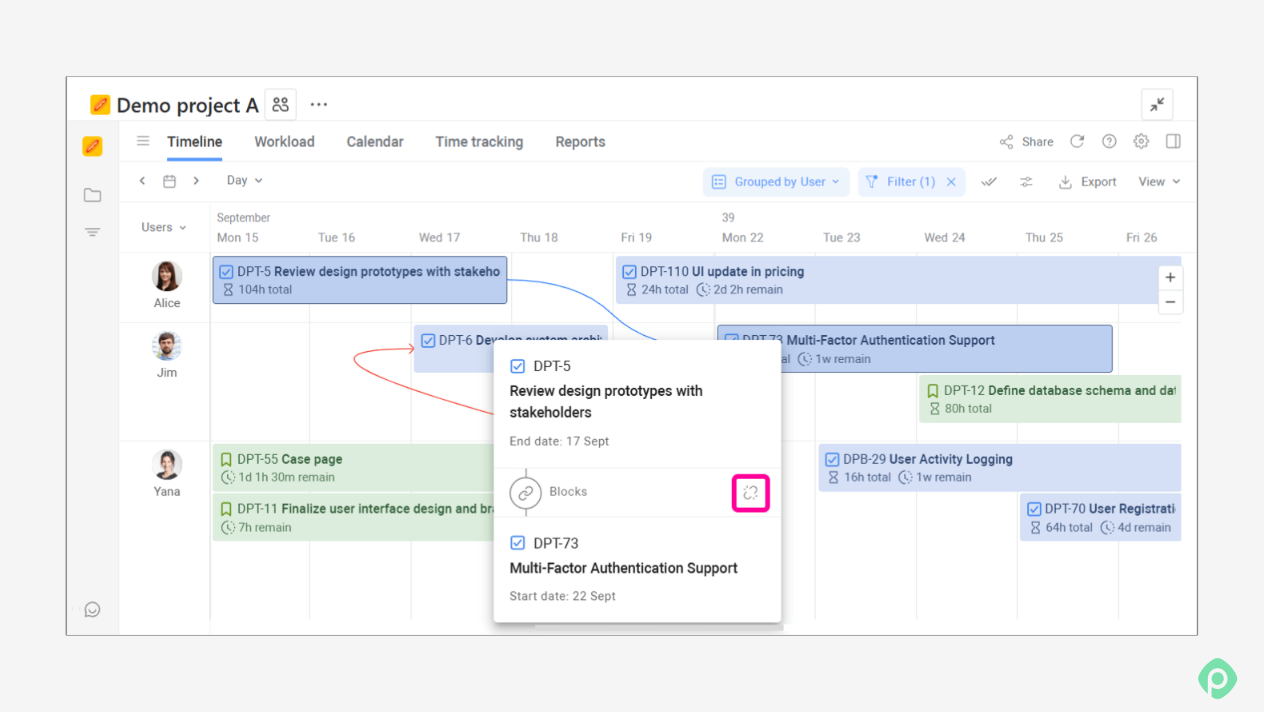
Work that isn't a project should also be included. Support, maintenance, and recurring operational tasks compete for the same people — therefore, for proper resource planning, they need to be a part of the plan from day one.
2. Estimate effort
Resource planning is only as good as the estimates underneath it. The key point here is to estimate effort (hours of work) separately from duration (calendar time), and use ranges where you're uncertain. That’s how you ensure resources are distributed effectively.
Build the supply side: real capacity
Calculate capacity per person as shown above, then total it by role or team for the planning period. Keep in mind who can actually do which work. Ten developers is not ten interchangeable units if only one of them knows the billing system.
Compare demand and supply before assigning anyone
Before putting names on tasks, compare total demand by role against total capacity by role for each period up until project completion.
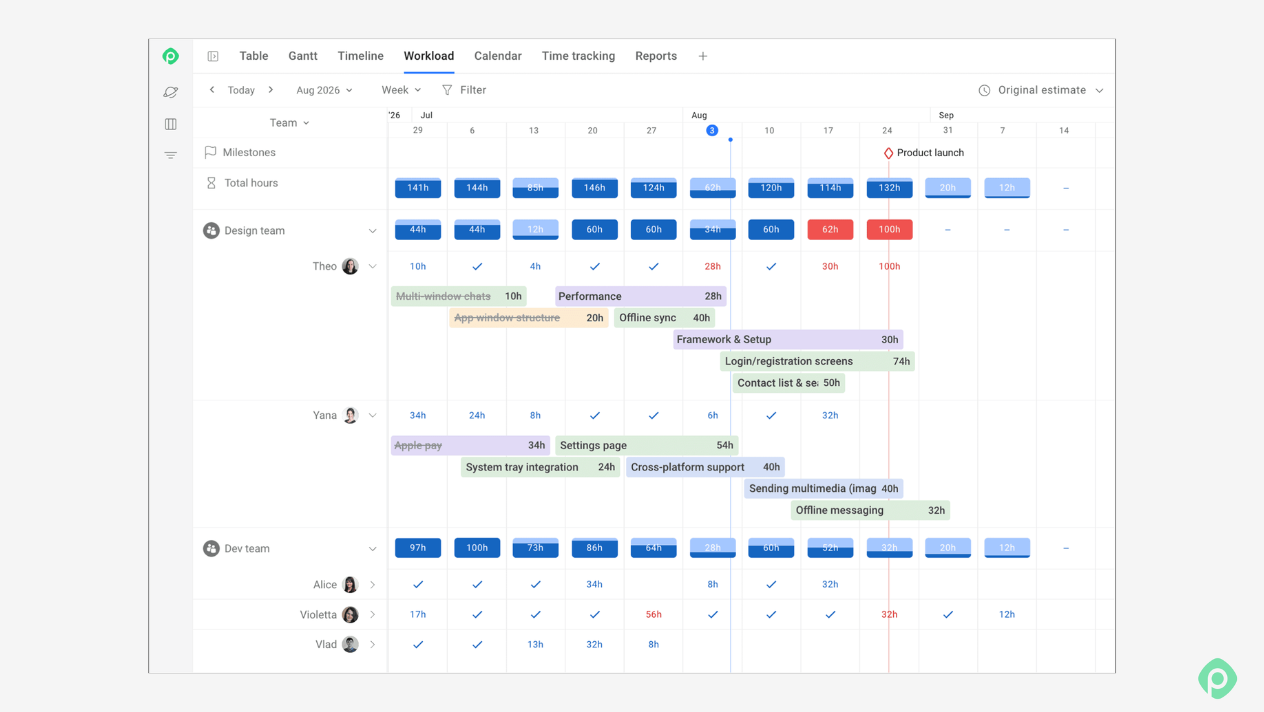
3. Allocate people
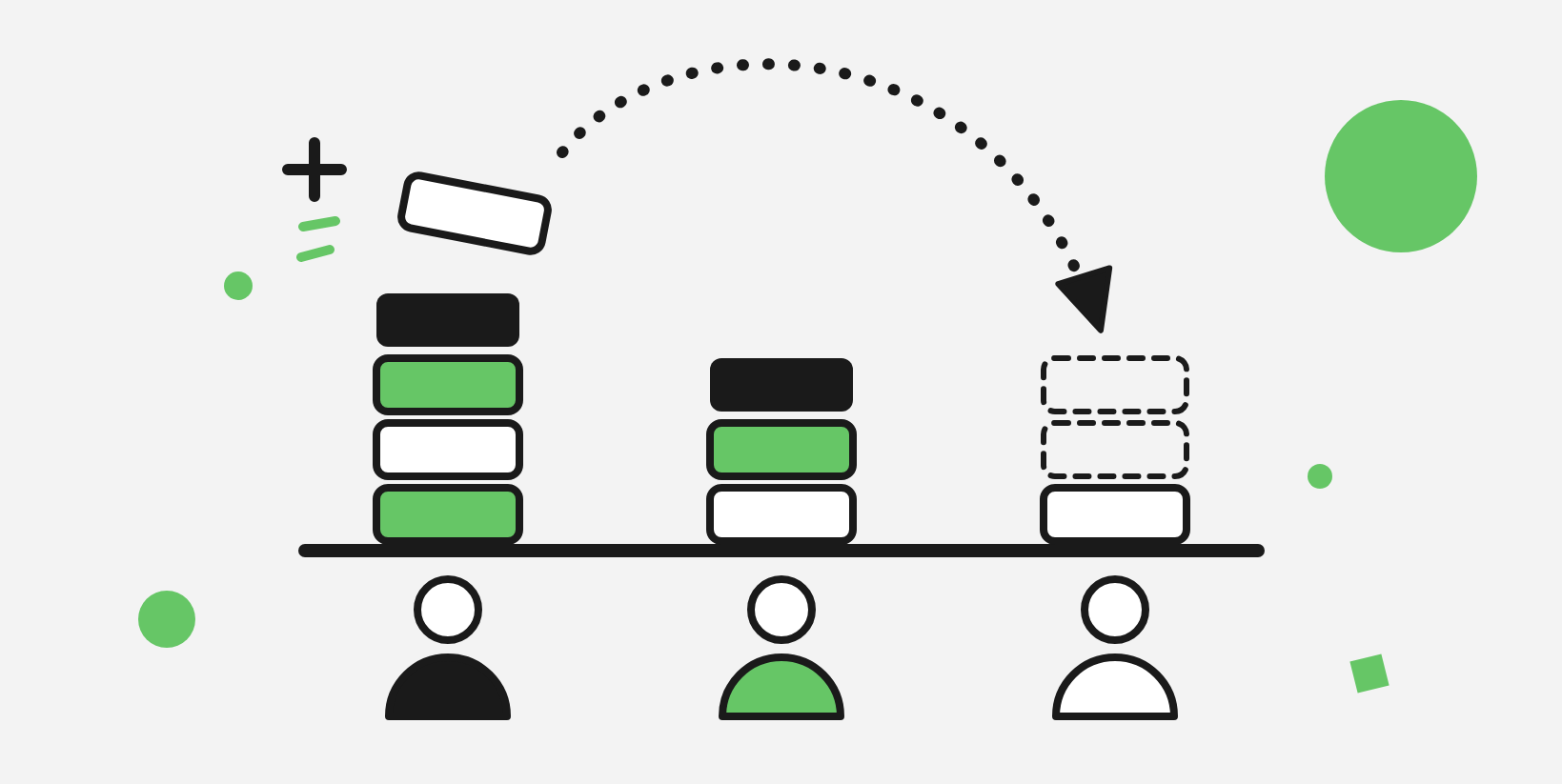
Now it’s time to assign work. A few principles can make allocations more robust:
- Match skills first, then balance load. Balancing hours across people who can't do each other's work just moves the problem.
- Minimize the number of projects per person. One or two concurrent projects is manageable. Three or more is where switching costs start to dominate (and people start to burn out).
- Keep continuity. Moving someone off a project midway has a cost in lost context and handover time. Don't reshuffle people just to make the numbers look even.
- Don't stack critical path work on one person. If the same person owns three tasks that everything else depends on, you've built a single point of failure into the schedule.
- Cluster similar work. Grouping related tasks for the same person reduces switching.
4. Resolve resource conflicts and over-allocation
Common resource planning challenges revolve around conflicting commitments. Wherever demand exceeds capacity, you have to choose what gives. This will almost always require a unique approach to each situation, but it deserves its own section, below.
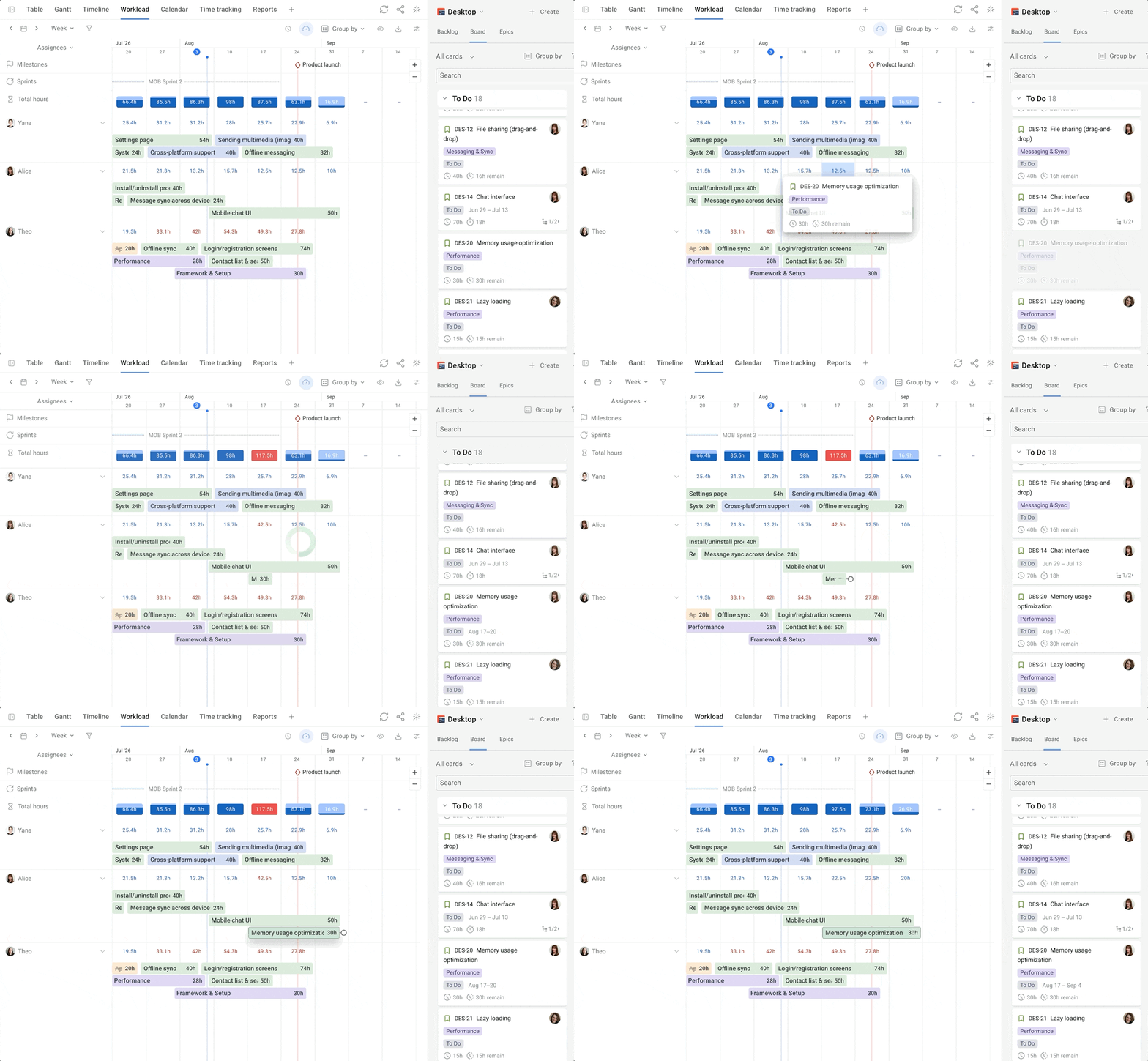
5. Revisit on a fixed cadence
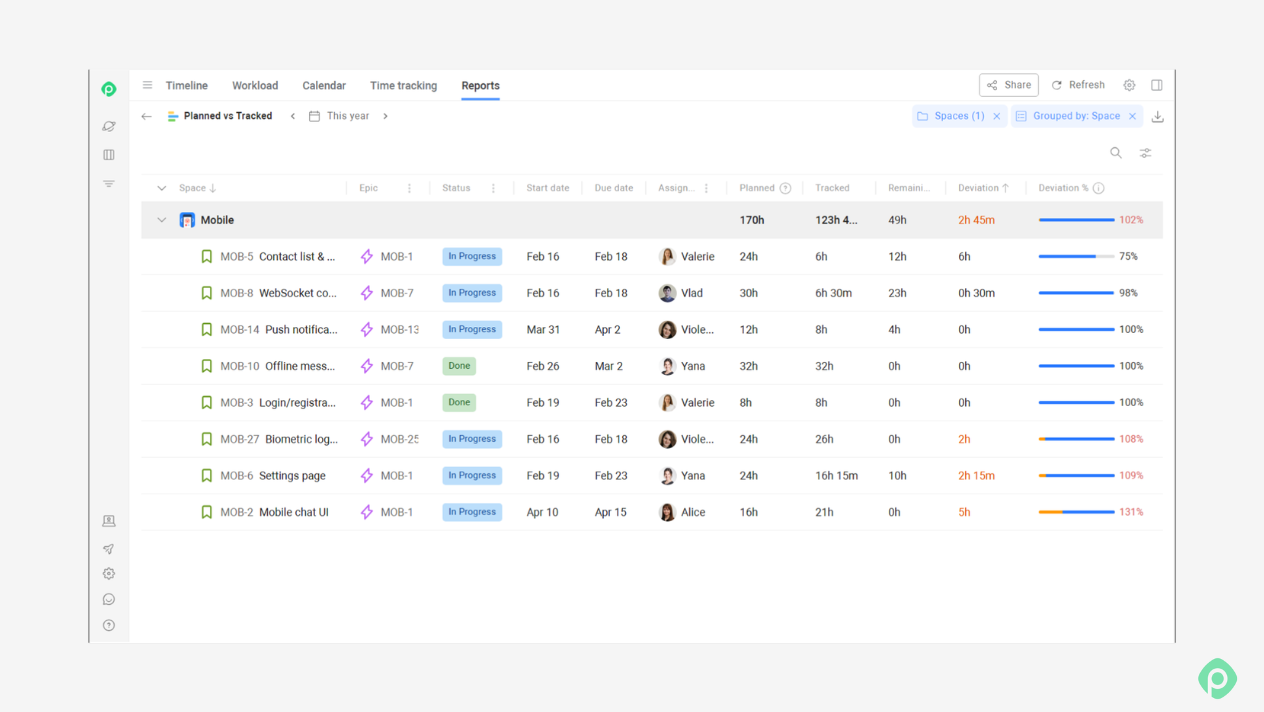
Even a practical resource plan is a forecast, and forecasts decay. Review it on a regular rhythm: weekly for the next few weeks of individual work, and monthly or quarterly for the longer horizon.
Compare planned work to what actually happened, and use the differences to recalibrate your capacity assumptions and estimates.
How to make a project resource plan when priorities keep changing
When project scope keeps moving, and urgent requests appear out of nowhere, the entire resource planning process can seem like a waste of time. If the plan will change anyway, why spend time making one?
Still, a changing plan is still better than no plan. You need a way to see how much capacity you have, where it's already committed, and what will have to move when something new comes in.
Use two planning horizons
- Longer term: resource capacity planning
Look ahead by quarter or year and plan at the team or role level. Estimate how much demand you expect in each skill area and compare it with the resource capacity you have.
The numbers don't have to be exact. They help you spot gaps early and make decisions about hiring, contractors, and which initiatives you can realistically take on.
- Near term: execution planning
Get more specific for the coming weeks or sprint. Assign actual people to actual tasks and keep the plan up to date as work changes.
These two plans should talk to each other. A new initiative can create a future capacity problem, while repeated over-allocation in the weekly plan can show that your longer-term assumptions were too optimistic.
Set a regular prioritization rhythm
If new work can be added whenever someone asks for it, your resource plan won't stay useful for long. Pick a regular time — for example, weekly or every two weeks — to review new requests against the work already on the plan.
Plan teams before individuals
When priorities are still moving around, start at the team level. It's easier to keep a team allocation reasonably stable than to constantly reshuffle individual assignments. Once the work gets closer, move down to individual assignments and specific tasks.
How to plan resources when projects compete for the same people
When the same person or team is needed on two projects at the same time, the problem is no longer just scheduling. Someone has to decide how the existing resources get divided, which work takes priority, and what moves when something new comes in.
That decision needs a shared view of resources across projects — and someone responsible for making the trade-offs. So, what’s the procedure in cases like this?
Keep one shared resource plan
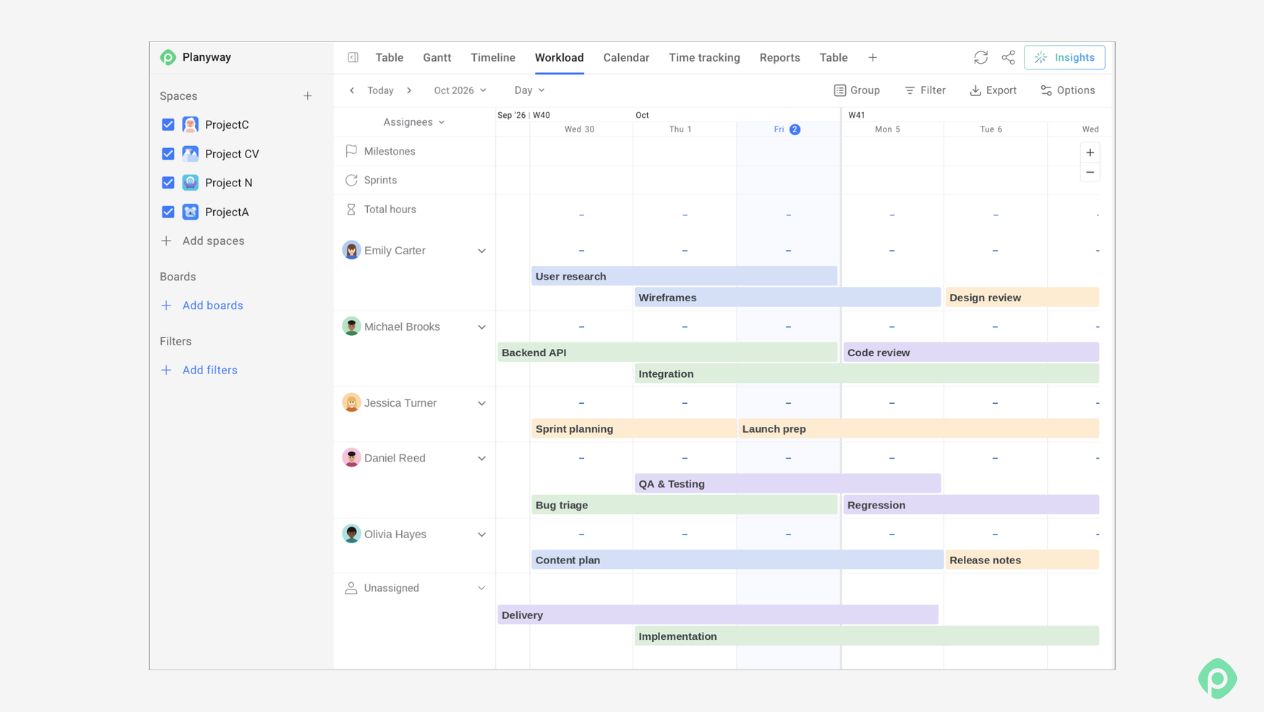
Project managers can plan their own work, but cross-project allocation needs to happen in one place for everyone to be on the same page. A resource manager or department head should be able to see the full resource pool, which projects each person or team is allocated to, and how much resource capacity is committed — in hours, percentages, or FTE.
Without that view, every project is planned in isolation, and conflicts surface only when the work is already underway.
Separate project needs from resource allocation
This is where a resource bridge becomes useful. A resource bridge is a process that connects a project's resource requirements with the organization's available capacity.
It typically works through resource requests: the project manager requests specific resources for a defined period, and the manager approves or rejects the request based on overall resource availability. The two plans remain separate, but connected: the project manager plans the work, while the resource manager controls the resource allocation to ensure successful project delivery.
Plan at the right level of detail
Planning hundreds of people individually across dozens of projects quickly becomes too heavy to maintain. For cross-project planning, teams or roles are often a more practical unit.
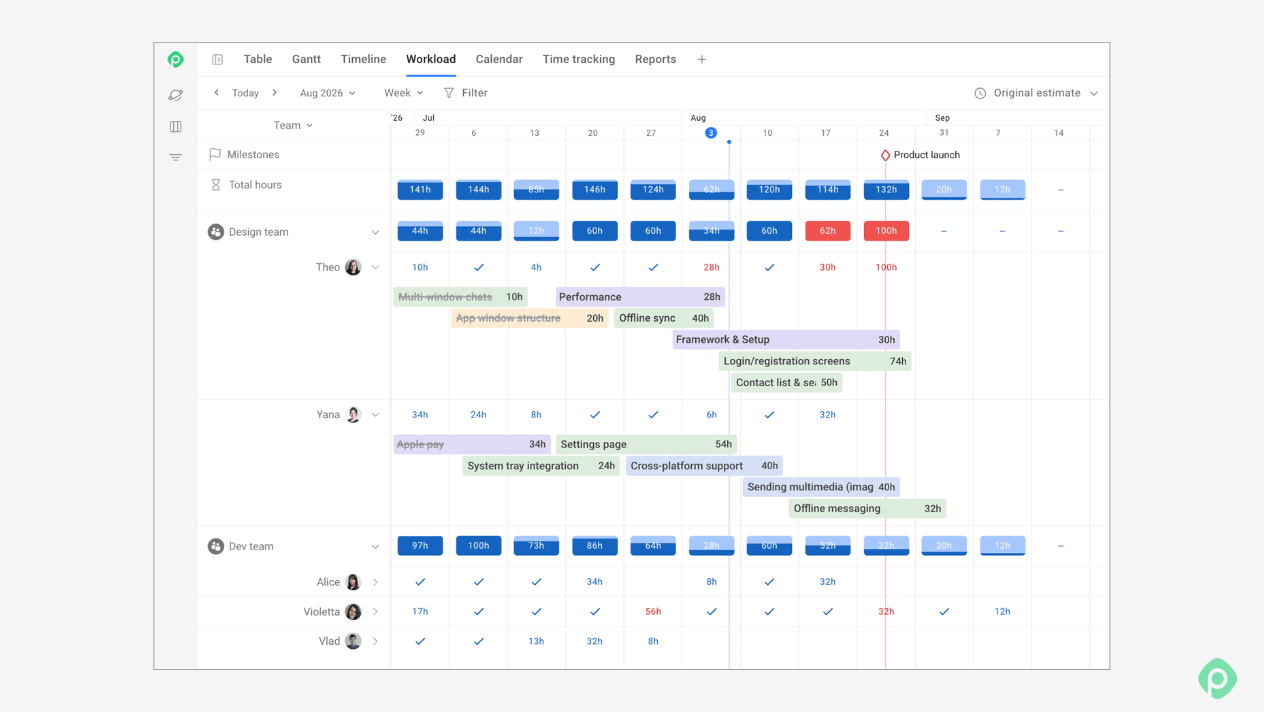
You can see that a team has 200 hours of capacity and is already committed to three projects, while the team lead handles the individual assignments internally. Drop down to individual planning when the work or skill requirements make it necessary.
Make conflicts a management decision
When two projects need the same capacity, the answer isn't to make the person fit both. It is to decide what gets priority. A regular forum with project managers, resource owners, and decision-makers gives those conflicts somewhere to go. New initiatives can be reviewed against the existing plan. And if something new needs capacity, something else may have to move.
Resource planning tools: how to choose one?
To be fair, resource planning can be done with a spreadsheet. There's nothing technically stopping you, and many teams start with the simplest resource planning templates. Put people in rows, projects in columns, add allocation percentages or hours, and you have a fairly successful resource plan.
But spreadsheets only work to a certain point in resource planning. That point comes when you have so many people, projects, and changes that keeping the spreadsheet accurate becomes a second job no one’s paying you for. Once you know you need a dedicated resource management tool, the next question is what it should actually do. These are the features worth looking for in a perfect resource planner.
1. Flexible ways to allocate work
Teams don't always plan in the same units. Look for a tool that can work with hours, percentages, days, or story points, depending on how your project team estimates and allocates work.
Planyway for Jira, for example, supports hour-based planning and can map estimates to Jira fields such as Original Estimate or Story Points.
2. Capacity based on real working time
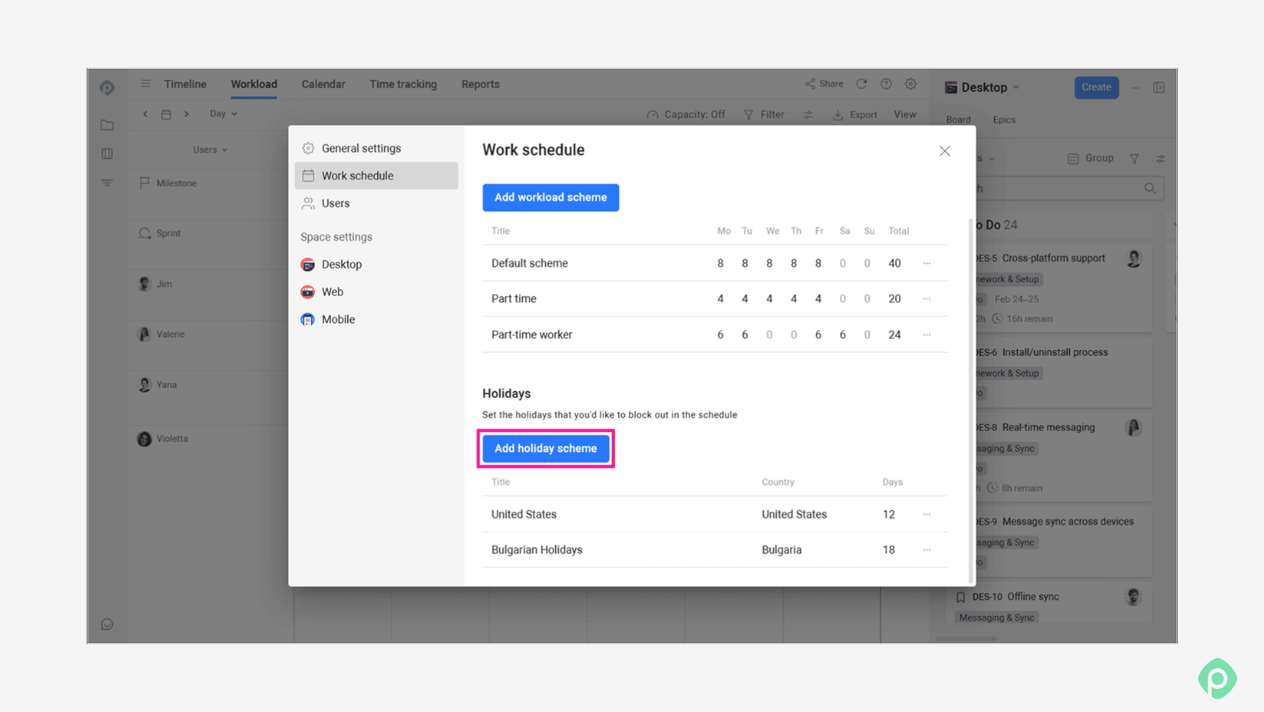
Someone who works part-time or is on vacation doesn't have the same capacity as someone working a full schedule. A useful tool should let you define working hours, holidays, vacations, and other days off so available capacity reflects reality.
3. Workload balancing you can act on
Seeing that someone is overloaded is only useful if you can do something about it. Look for workload indicators that make over- and under-allocation obvious and let you rebalance work directly by changing assignments, duration, or estimates.
4. Planning at both team and individual level
You may want to plan a team's capacity months ahead and decide individual assignments later. A good tool should support both views, so you can start with the team and drill down to individual workloads when the plan gets more specific.
5. A way to compare the plan with reality
Resource planning is something that should go beyond the moment the schedule is created. Look for reporting that compares scheduled work with available capacity and, ideally, planned time with actual tracked time. That gives you a way to see where the plan was too optimistic and use that information in the next planning cycle to avoid dealing with resource shortages.
Turn Jira tasks into a workable resource plan
Effective resource planning reveals if your team can commit to a certain date, how much capacity it has, and what has to move if and when something new comes in. But you can't answer all three reliably from one project plan. You need to see the work across projects, account for the time people spend on support, meetings, and other non-project work, and plan against the capacity they actually have.


FAQ
Resource planning process requires deciding who will work on what, when they’ll work on it, and whether they have enough capacity to complete it. It involves looking at team availability, skills, workload, and project timelines to create a realistic plan.
The right resource planning tool depends on how your team works. For teams that use Jira, a tool that works directly with Jira can make resource planning easier because you can plan and manage capacity without duplicating work in a separate system.
Planyway, for example, adds resource planning, workload views, timelines, and capacity management to Jira, helping project managers see team availability and assignments alongside their existing Jira work.
The key components of resource planning are easy to remember. First, list the work: the projects, tasks, and deadlines you need to plan. Then check your team's capacity, including working hours, time off, and what people are already busy with. Next, match resources to work, so every task goes to someone who's free and has the right skills. After that, build the schedule: put the work on a timeline and make sure the dependencies and project deadlines are realistic. Finally, check workloads to see who's overloaded and who has time to spare. And whenever priorities, deadlines, or availability change, update the assignments and timelines.